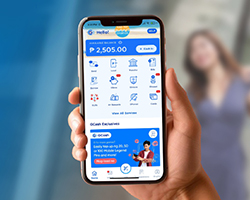
GCash, that all-in-one popular e-wallet you’ve pinned on your phone, has become a staple for 94 million people and over 6 million merchants. Many Filipinos use it daily for GCash cash-in and cash-out, paying bills, and sending money in just a few taps.
But GCash can do much more than that. This guide walks you through everything the app has to offer, from saving and investing to insurance and loans, so you can make the most of your money in one place.
What Can You Do with GCash?
GCash makes everyday money tasks simple and accessible, even if you don’t have a traditional bank account. With just your phone, you can conveniently handle most of your financial needs in one app anytime, anywhere. That means less time rushing to beat bank hours and more time for family, friends, and the things that matter to you.
Send Money
You can send money to friends, family, customers, suppliers, and others, whether they have a GCash account or not.
Send to Another GCash User

Do you need to send money to someone or pay for something online? GCash has plenty of options for sending money quickly and easily.
- Send money to another GCash account. Use “Express Send” to instantly transfer money to another GCash user using their GCash number, mobile number, or QR code.
- Send money to someone without a GCash account. Simply open GCash, tap “Send” then “GCash Padala,” enter the recipient’s name and mobile number, and confirm the amount. The recipient can then cash out at over 110,000 partner outlets nationwide using a valid ID and the reference code.
- Request money from someone. Waiting for someone to pay you back? Use “Request Money” to send a payment request directly through the GCash app. They’ll receive a notification and can send the payment to you with just a few taps.
Generate a QR Code

QR codes offer a fast, secure, and convenient way to send and receive money with GCash. Here's how you can use them.
- Receive money with your personal QR code. Generate your own QR code and let others scan it to send you money. It never expires, so you can use it anytime without sharing your GCash number.
- Pay by scanning a QR code. Scan or upload a merchant’s QR code to pay at stores, restaurants, and other establishments. This also works when someone sends you their QR to receive payment.
- Show your QR or barcode to pay. Generate a QR or barcode from your GCash app, and let the cashier scan it for quick and secure payments.
- Use GCash Commute for transport payments. Riding public transport? GCash Commute lets you pay fares by scanning QR codes at supported transport partners, making cashless commuting easier and more convenient.
- Pay abroad with Alipay+ QR code. Since GCash is part of the Alipay+ network, you can scan Alipay+ QR codes to pay at millions of partner merchants worldwide. It’s a simple and secure way to pay while traveling.
Transfer Money to Any Bank

Enjoy instant transfers, low fees, and access to a vast network of partner banks across the Philippines. Say goodbye to high bank charges and long processing times—GCash simplifies bank transfers, so you can easily manage your finances.
- Bank Transfer: Send money to local banks and supported e-wallets in the Philippines with low fees and fast processing.
- International Transfer: Send money to supported international banks and e-wallets directly through the GCash app.
- QR for Bank Transfer: Scan a bank QR code to transfer money quickly without manually entering account details.
Note: A GCash charge of ₱15 may apply when transferring funds from your GCash wallet to banks.
Pay for Everything with GCash
Paying bills and buying essentials is easier with GCash, letting you conveniently pay for various goods and services in just a few taps.
Buy Load for Any Network

Running low on load or data? With GCash, you can buy load for yourself or others anytime, anywhere.
- Mobile Load: Top up your prepaid mobile phone for Globe, TM, GOMO, and other networks. You can also buy roaming load to stay connected while traveling abroad. Choose a load or promo that fits your needs, and even buy load for friends or family.
- Broadband Load: Keep your internet connection running smoothly by buying broadband load for your GFiber Prepaid, Globe AT HOME, and other broadband providers.
- Non-Telco Load: GCash also allows you to buy load for other services, such as:
- PayTV: Pay your cable TV subscription with providers like Cignal and SatLite, and even purchase prepaid kits for both.
- EV Charging: Buy charging credits that you can use at AC Mobility EV Charging Hubs.
- Gaming: Top up your favorite online games with game credits.
- Entertainment: Enjoy your favorite movies, shows, and online content by subscribing to services like Pilipinas live, Cignal, iTunes, Bilibili, Crunchyroll, Viva One, Viu, KUMU, iQIYI, and beIN Sports Connect.
- Health: Access affordable vouchers you can use to buy essential medicines.
- Cignal: Get access to Cignal add-ons like Disney+, Cignal Prepaid Plans, Cignal Lite, and more.
Pay Bills

Skip the hassle of queuing at payment centers with GBills. You can easily manage due dates and schedule payments in one place. Here’s a look at what you can pay through the Gcash app.
- Utilities: Electricity, water, and internet bills
- Credit cards: BPI, Metrobank, RCBC, and other partner issuers
- Loans: Participating lenders such as BillEase, Atome, Easycash, and many more
- Government: Taxes, SSS contributions, and PhilHealth premiums
- Insurance: Oona Insular Insurance Corporation, Pru Life U.K., Manulife Philippines, and other partner providers
- Transportation: Services like beep™, Autosweep RFID, AirAsia, and other travel and mobility partners
- Real estate: Rent or property-related dues from participating developers and property managers such as Amaia Land Corp., APMC, AXIS Residences, and many more
- Healthcare: Hospital and clinic charges from partner providers like Makati Medical Center, KonsultaMD, Medicard, and others
- School: Tuition fees
- Others like payment solutions, GBayanihan, retail stores, and other services
Borrow Money and Access Credit When You Need It
Short on cash? GCash offers convenient borrowing options to help you cover emergency expenses or temporary shortfalls.
Get Instant Credit with GCredit
GCredit is a personal credit line built into the GCash app. It lets you shop now and pay later at partner merchants or use it to pay your bills.
To use GCredit, you need to be a fully verified GCash user with a good GScore. The more you use GCash, the higher your credit limit can go. Just make sure to pay on time to avoid extra fees and charges.
Here's how to access and use GCredit.
- Use GCash regularly for transactions like sending money, paying bills, and buying load to build your GScore.
- Tap “Borrow” on the dashboard.
- Select “GCredit,” then review your available credit limit.
- Choose “GCredit” as your payment option when paying bills or checking out with partner merchants.
- Pick a repayment option that fits your budget, then pay on time to avoid extra fees and charges.
Shop Now and Pay Later with GGives

Are your funds a little low right now? GGives lets you buy what you need at partner merchants with flexible installment plans and 0% interest. No downpayment, credit card, or documents needed! Just make sure you’re a fully verified GCash user and meet the eligibility requirements.
Follow these steps to pay with GGives.
- Shop at a GGives partner store and pick what you need.
- At checkout, choose “GCash” as your payment and select “GGives” as the payment method.
- Select your preferred installment term from the available options.
- Review the transaction and agree to the loan terms, then complete the payment.
- Repay in monthly installments according to your chosen schedule, and check your GGives dashboard in the app to track.
Borrow Money with GLoan

If you need more cash for an urgent expense or a big purchase, GLoan offers a convenient way to borrow money from your GCash app.
Here’s what you need to know about using Gloan.
- Ensure you’re a fully verified GCash user, aged 21 to 65, and meet GCash’s eligibility and credit assessment requirements.
- From the GCash dashboard, tap “Borrow,” then select “GLoan.”
- If eligible, you may be offered a loan amount of up to ₱125,000, depending on your profile.
- Once approved, the loan amount is credited straight to your GCash wallet.
- Repay your loan in monthly installments according to your chosen schedule.
Note: GCash rates for GLoan vary by eligibility and loan amount, with a monthly interest ranging from 1.59% to 6.99%, a one-time 3% processing fee deducted from the loan proceeds, and late payment charges that may apply to unpaid installments.
Borrow Load for Urgent Needs

Short on cash but want to top up your mobile or broadband load urgently? GCash has you covered with its Borrow Load feature. Get load instantly and pay it back later.
Here’s how Borrow Load works.
- Check your eligibility to make sure you meet the requirements.
- Fully verified GCash account
- Filipino citizen with a valid ID
- 21 to 65 years old
- Verified email address
- Qualified GScore and good credit history
- Go to “Load” on your GCash dashboard, then select "Borrow Load."
- Choose the type of load you need (mobile or broadband) and select the amount.
- Review and confirm the details. The load will be credited to your account instantly.
- Pay back the borrowed amount in two days without interest or service fees.
Note: Borrow Load includes a processing fee based on the selected product and amount, in addition to standard load charges.
Grow Your Money
GCash empowers you to take charge of your financial future. Explore the different ways you can invest, save, and grow your money within the app.
Have Peace of Mind with GInsure

GInsure lets you access a range of insurance products directly in the GCash app, in partnership with licensed insurance providers such as Singlife, Malayan Insurance, Oona Insurance, and other accredited insurers. Available options include health, life, accident, travel, occupation, vehicle, lifestyle, property, business, and pet insurance.
Eligibility criteria vary depending on the specific insurance product. Generally, you’ll need to be a fully verified GCash user within a certain age range, a Filipino citizen or legal resident of the Philippines, and in good health. Specific conditions may apply.
Here’s how to get started in using GInsure.
- Tap “GInsure” on your GCash dashboard.
- Browse or select a category in the Marketplace.
- Choose the insurance product you want.
- Select a coverage plan that fits your needs.
- Review your details and the policy terms.
- Confirm payment to complete your purchase.
Grow Money with GFunds

Want to earn passive income and start investing? The beginner-friendly GFunds makes it easy. You only have to verify your account, and then you can explore a range of investment funds from trusted providers, starting with just ₱50. There are no commissions or sales fees; you can manage everything within your GCash app.
Here’s how to use GFunds.
- Tap “Invest” in your GCash dashboard.
- Select “GFunds.”
- Complete the registration and risk assessment.
- Once you complete the process, you’ll see your risk profile assessment result.
- Explore the available funds and start investing.
Explore Cryptocurrency with GCrypto
If you’re interested in cryptocurrency, check out GCrypto! You can buy, sell, and explore coins and tokens, trade with a user-friendly interface, and access educational resources. You can even discover valuable Non-Fungible Tokens (NFTs). Remember, cryptocurrency investments are subject to market risks. Do your research before investing.
Getting started is easy.
- Go to “Invest” in your GCash dashboard.
- Tap "GCrypto."
- Start buying and selling crypto.
Invest with GStocks PH

GStocks PH partners with the Philippine Stock Exchange and AB Capital Securities to offer a seamless and user-friendly platform for buying, selling, and monitoring your investments.
Here's what you can do with GStocks.
- Buy and sell shares of over 280 companies listed on the Philippine Stock Exchange.
- Begin your investment journey with a minimum investment of just ₱50.
- Manage your portfolio easily. Track your investments, view real-time market data, and access research reports.
- Easily add funds to your GStocks account or withdraw your earnings with no fees.
Here’s how to start building your investment portfolio.
- Go to “Invest” in your GCash app and select “GStocks PH.”
- Register for an account with AB Capital Securities.
- Start exploring and investing in your favorite companies.
Save Money with GSave

GSave makes it easy to start saving, whether you’re building an emergency fund or setting money aside for future goals. Through GCash and its partner banks, you can open and manage savings accounts directly in the app without paperwork.
- Low to No Minimum Balance: Start saving with an amount that works for you. Terms vary by partner bank.
- Competitive Interest Rates: Earn interest rates that may be higher than traditional savings accounts, depending on the bank and ongoing promos.
- Easy Access: Manage your savings, deposits, and withdrawals anytime through the GCash app.
- Auto-Save Features: Set up automatic transfers to help you save consistently and reach your goals.
GSave offers savings accounts from partner banks such as CIMB, BPI, UNO Bank, Maybank, and Cebuana Lhuillier Bank, each with its own features, interest rates, and terms. Several of these banks are recognized as digital banks with high-interest rates, giving users more ways to grow their savings directly through GCash.
Here’s what you need to do to start saving.
- Tap “GSave” on your GCash dashboard.
- Select your preferred bank.
- Follow the in-app instructions.
- Make your deposit.
Earn Steady Returns with GBonds

Looking for a lower-risk way to grow your money? GBonds lets you invest in Philippine government securities directly in the GCash app. These bonds offer fixed interest earnings over a set period, making them a good option for users who want steady returns and more predictable income.
Here’s how to start investing with GBonds.
- Go to “Invest” on your GCash dashboard.
- Tap “GBonds.”
- Complete the one-time registration.
- Browse available bond offerings and review the terms.
- Choose the bond that fits your financial goals.
- Confirm your investment to complete the transaction.
Learn Financial Literary with Learning Hub

The GCash Learning Hub helps you make informed financial decisions by giving you access to practical, easy-to-understand educational content. Whether you’re new to budgeting, saving, investing, or digital payments, the Learning Hub provides helpful resources designed for everyday use.
With the GCash Learning Hub, you can:
- Learn the basics of budgeting, saving, and investing.
- Understand how GCash features work and how to use them safely.
- Explore articles, tips, and guides on managing your money wisely.
- Build confidence in making financial decisions at your own pace.
To access the Learning Hub, open your “GCash app” and look for the “Learning Hub,” then browse topics that match your financial goals.
Enjoy Experiences, Perks, and Rewards

GCash is more than just bills and payments. It’s also your gateway to exciting experiences and rewards.
- Lucky Load: Win prizes and get discounts when you buy load.
- A+ Rewards: Earn rewards points for your Alipay+ transactions.
- GForest: Earn green energy points when you transact on GCash and help fund tree-growing projects.
- GDeals: Discover exclusive deals and discounts from various merchants.
- Food Hub: Order food from partner merchants and enjoy convenient cashless payments and promos.
- Shop: Browse and buy products from partner stores directly in the app, with GCash as your payment option.
- Wellness: Access health and wellness services.
- Earn Money: Explore opportunities to earn extra income.
- Jobs: Find job openings and apply directly through GCash.
- Ship & Deliver: Send and receive packages with ease.
- Play: Enjoy fun and engaging games, exclusive vouchers, gift cards, treats, and Watch Pay contactless payments—all within the GCash app.
- Travel: Plan your trips and book flights and hotels.
- Commute: Access transport-related features such as QR-based payments and mobility services with supported partners.
Manage Your GCash Account with Ease

Stay on top of your finances with GCash's convenient management tools.
- Transactions: View your transaction history and download statements.
- Pera Outlet: Manage your outlet transactions and earnings (for Pera Outlet partners).
- GCash for Business: Accept payments, manage funds, track transactions in real time, and give staff role-based access
- GCash Jr.: Help your children learn about managing money (for users aged 7 to 17).
- Cards: Link and manage your physical GCash Mastercard or Visa Card.
- GCash Cash In: Add funds to your GCash wallet through local banks, global banks, and partners, and over-the-counter partner outlets. You can cash in up to ₱8,000 with no GCash cash-in fees.
- GCash Cash Out: Withdraw money from your GCash wallet through GCash cash-out options such as RCBC Scan to Withdraw, pawnshops, supermarkets, payment facilities, department stores, bank transfer, GCash card, and sari-sari stores. A GCash cash-out fee may apply depending on the outlet and withdrawal amount.
- US Account: Receive payments with your own virtual U.S. account. Get funds in USD and convert them to PHP anytime within the GCash app, often with more competitive exchange rates.
To access these features, tap “View All” on the dashboard and look for the “Manage” and “Others” section.
FAQs
What’s a GCash Card?
A GCash Card is a physical prepaid debit card linked to your GCash account that lets you pay in stores and online and withdraw cash from ATMs, even without your phone. It works as a reloadable Mastercard or Visa and is accepted at millions of merchants worldwide, including BancNet ATMs in the Philippines.
How can you apply for a GCash Card?
You need a fully verified GCash account to apply for a card. You can link your card to your GCash wallet balance.
- Open the GCash app and tap “View All.”
- Scroll down and tap “Cards.”
- Select “Order a GCash Card” then "Order a card.”
- Choose between “Send me a card” or “Buy in-store.”
- Fill out the application form and pay the ₱250 fee.
- Expect your card within 4 to 10 business days.
What are the latest features of GCash?
GCash is constantly improving and adding new features to make your financial life easier. Here are some of the latest updates.
- Enhanced Security: GCash DoubleSafe adds an extra layer of protection with biometric login and OTP for non-verified users. Soon, you can experience Online PaySafe for more secure online transactions.
- GCash Overseas: Send money internationally and make payments while traveling with GCash. You can also cash in via international remittance partners.
- Tap to Pay: Use your phone for contactless payments on public transport with NFC technology.
- Watch Pay: Link your GCash to your Huawei smartwatch for payments with a wrist QR code.
- GCash Tourist: Foreign visitors can access GCash features for 30 days.
- International Bank Cash-In: Get access to funds in your GCash account from banks outside the Philippines.
- AI-Powered Experiences: Gigi, an AI-powered assistant, is being introduced to handle customer queries and provide support at the Help Center. GScore AI will soon provide more accurate creditworthiness assessments, while GCoach AI will offer personalized financial guidance.
Gain Digital Financial Freedom with GCash
GCash has reshaped how Filipinos manage money by making everyday financial tasks simpler, faster, and more accessible. From GCash cash in and cash out to payments, savings, and investments, GCash puts more control of your finances right in your hands.
To enjoy uninterrupted access anytime, anywhere, make sure you’re connected with reliable mobile data. Explore the latest prepaid promos for flexible, on-demand data connection or postpaid plans for monthly data access.