In this article:
AI innovations are aplenty these days, from ChatGPT to Google’s Gemini. These tools help streamline various tasks, but their utility often comes with strings attached—think capped usage or paywalls on premium features. Not Meta AI, though. The Facebook giant’s smart assistant is as capable as the industry’s leading AI tools and is completely free of charge—no hidden costs or subscription fees.
The big question is, how good can Meta AI be? The conversational AI is powered by the newest version of a language model called Llama, which the company claims to be “the smartest AI on Earth.” And now, it’s fully baked into Facebook, Instagram, WhatsApp, and Messenger.
Curious about Meta’s AI chatbot? Keep reading to discover what it can do and how it can transform your social media.
Ask Meta AI Anything, Anytime
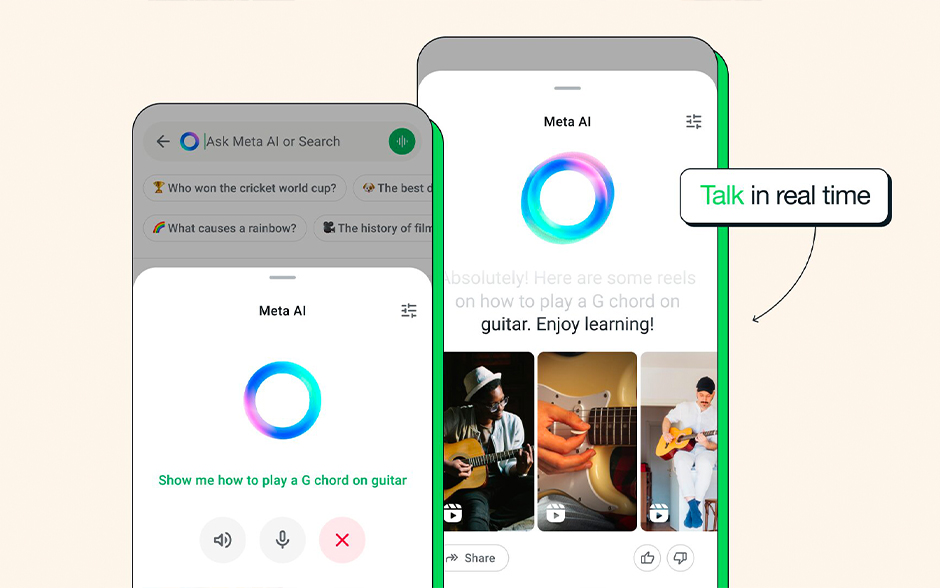
Image Credit: WhatsApp
Meta’s AI assistant can handle numerous tasks, from answering complex, multi-step questions to providing recommendations. It uses real-time information from Bing and Google, so the responses are relevant and reflect the latest trends. That said, it’s a chatbot, not a search engine. It’s bound to make mistakes.
If you ask Meta AI to list Taylor Swift’s entire albums, it might miss a re-recorded album or two. Tell it to suggest a romantic dinner in Paris, and you’ll see some solid, albeit basic, recommendations. All in all, the responses may not be perfect all the time, but they can spur ideas and get the ball rolling.
Can’t be bothered to type your queries? You can speak to Meta AI, and it will talk back. What’s interesting is you can choose the chatbot’s voice from several options, including celebrities like Awkwafina, John Cena, and Kristen Bell. Imagine getting a weather report from Frozen’s Princess Anna.
To chat with Meta AI, type @MetaAI in the search bar of your Instagram DM, Facebook Groups, Messenger, or WhatsApp and start the conversation. Tap the waveform button to talk to the chatbot. You can change the voice in settings.
Make AI-Generated Images

Image Credit: Meta
Imagine is Meta’s AI-powered image generator, bringing your ideas to life. What makes its features so compelling is their seamless integration with the company’s apps. You can easily generate and share images on your social media feeds without needing third-party tools or software. What’s more, Meta AI works faster than other image generators. Just type in the prompt (or choose from the suggested prompts), and your creation will be ready in seconds.
Here's a step-by-step guide on using the Imagine features:
- On Facebook: “Create Post” > Choose “Imagine” > Type the prompt > Pick an art style > Click “Generate.”
- On Instagram: Search @MetaAI > Click the Profile > Click “Message” > Type the prompt with words like “imagine” or “visualize.”
- On Instagram Stories: “Create Story” > Choose “AI Images” > Type the prompt > Scan your face > Pick an art style > Upload your Story.
- On WhatsApp & Messenger: Click the Meta AI logo > Type the prompt with words like “imagine” or “visualize.”
After generating the AI image, you have the option to edit, download, or forward it. You can also animate the image and turn it into a GIF by simply typing “animate this.”
Write, Edit, and Proofread Texts
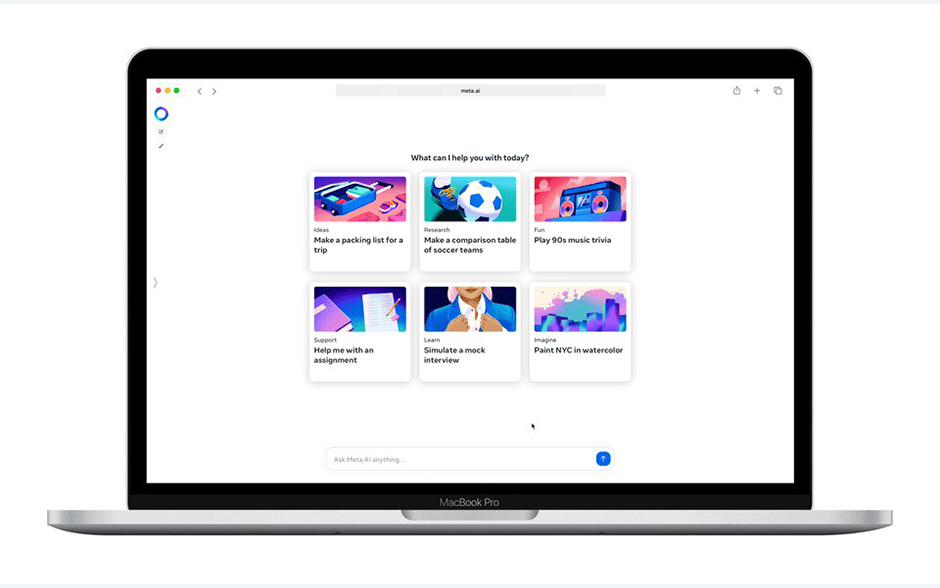
Image Credit: Meta
It’s wild when you think about how much time you’ve spent agonizing over the perfect Instagram caption, a well-worded appreciation post on Facebook, or a heartfelt reply to that two-paragraph-long birthday text from your aunt. With Meta AI chat tools, writing becomes easier.
Meta’s AI-writing capabilities work best with existing words. Say you’re planning a series of posts to promote an event; feed the assistant a rough draft. It will refine the texts, fix typos, and check the grammar. If you’re writing a video script, the chatbot can help create a template, streamline the flow, remove jargon, and ensure the tone aligns with your target audience.
Meta’s AI-writing features also make for a great study partner. Paste a website or research paper into the chat and ask the bot to summarize the information in layman’s terms. When you need someone to quiz you, the AI bot can generate a multiple-choice test based on the information you provided.
Transform Your Facebook with AI
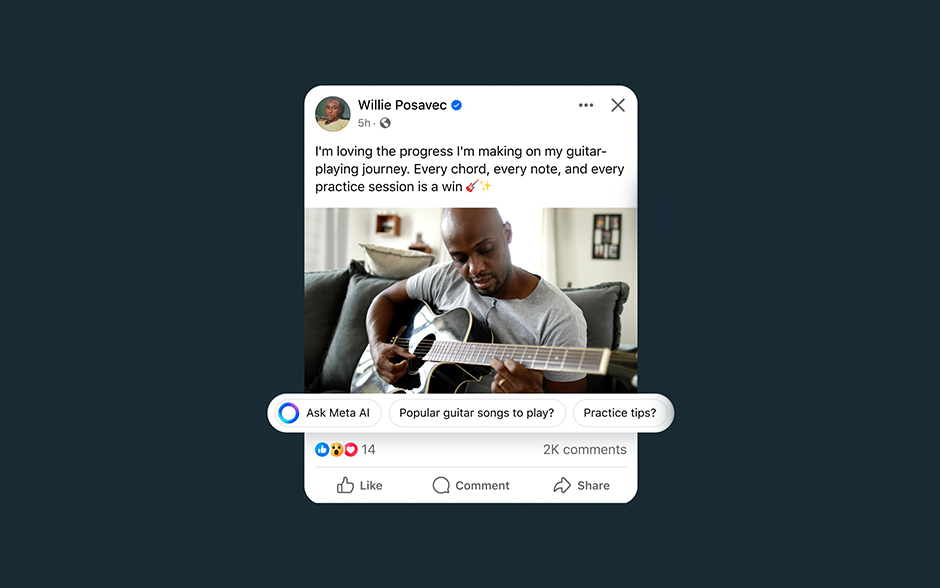
Image Credit: Meta
Meta has fine-tuned its AI model and made it compatible with one of its biggest platforms, Facebook. The features not only serve search results but also help jazz up your personal account and business page.
Draft and edit your Feed posts.
Meta AI can provide multiple drafts of Facebook posts—each tailored to different styles and tones. Whether you aim for a lighthearted vibe, a professional approach, or something in between, the bot can adapt its suggestions to fit your needs. This versatility also helps create a witty introduction for your Facebook Dating profile, comment on a friend’s post, and set up a new Group.
Create Facebook ads.
Meta’s text generation features can also help supercharge your ad creatives. Forget writer’s block! Generate catchy headlines and compelling copy in seconds.
Another great thing about Meta AI for business is its image generation features. You can upload your ad creative and have the bot create full image variations. For instance, if you’re launching a floral perfume, Facebook’s generative AI will add blossoming flowers that embody the fragrance’s top notes. Users can also use Meta AI to insert text overlay on images and convert creative assets from landscape to portrait orientation.
Boost ad campaigns with Advantage+.
In addition to Meta’s AI image generation, Facebook has incorporated its newest AI model into Meta Advantage, a tool designed to enhance your ad creatives on the social media platform.
Here are the top two AI-powered Meta Advantage products you can use today:
- Advantage+ Creative Enhancements: Automatically refine your ad images and videos to versions that will improve their impact. The AI bot may tweak the visual brightness and contrast, improve the text, change the music, and tweak the format.
- Advantage+ Catalog Ads: Previously known as dynamic ads, they show relevant products from your catalog to users based on their interests, behavior, and past interactions with your brand. Advertisers can now use videos instead of static images for catalog ads.
Supercharge Your Instagram
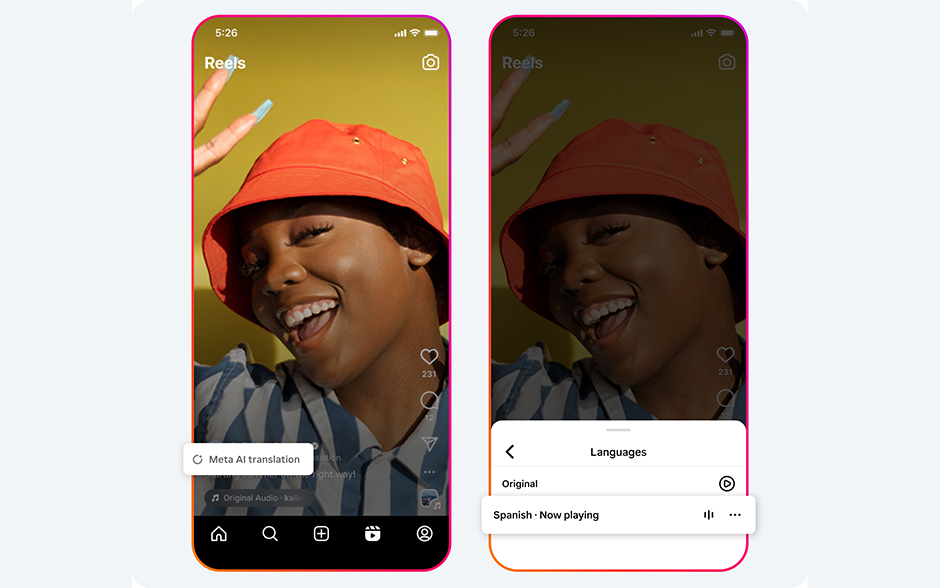
Image Credit: Meta
Keeping up with your Instagram presence can take a lot of work. With Instagram’s AI assistance under the hood, casual users and content creators can step up their social media game.
Get recommendations with Reels.
A personalized recommendation system is at the heart of AI features on Instagram. By analyzing your activities on the platform, the bot refines its understanding of your interests. So when you ask Meta AI to recommend cute summer outfits, for example, it will share the most popular Reels that match your style preferences.
Of course, you need a fast and reliable internet connection to watch the recommended Reels without lag. Choose Go+ Promos and get extra data for your favorite apps, plus a discount voucher for Canva, SM Malls Online, Lazada, and more!
Translate Reels audio.
Expand your reach on social media with Meta AI translation tool. It’s currently in the testing phase, but when it’s rolled out, it will automatically translate the audio of your Reels, so more people can enjoy your content.
Not just that, Meta is also working on adding automatic dubbing and lip-syncing features. Soon, the AI will be able to simulate the original speaker’s voice in different languages and synchronize the translated audio with the speaker’s lips.
Generate backgrounds for your Stories.
Meta AI made it much easier to find the background of your Instagram Stories, too. Previously, you’d have to scour Pinterest for the perfect backdrop, mess around with the colors, and pray to God that it matched the aesthetic you’re going for. Now, all you need to do is click a button.
When you upload a photo to your Story, the AI will look at it and take in every detail of the image—from the cityscape, the color of the outfit, the lighting, down to the scenery. In the blink of an eye, you’ll have several fun backgrounds for your Story.
Level Up WhatsApp and Messenger
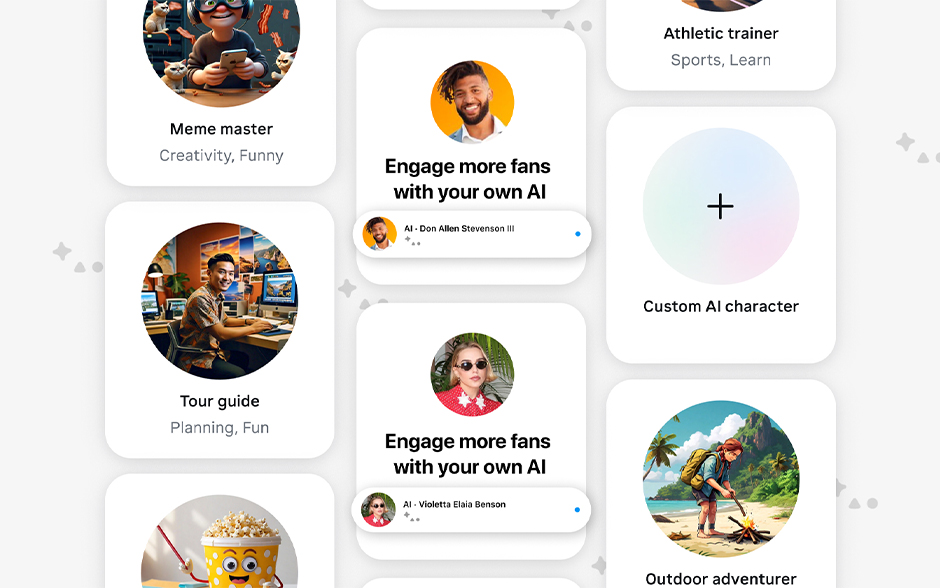
Image Credit: Meta
You’ve probably seen a thin ring logo hovering in your WhatsApp and Messenger. Click on it, and you’ll be able to start a conversation with Meta AI and access these features:
Discover new information about your photos.
Share a photo with Meta AI chatbot and ask questions to learn more about what’s in the picture. This feature is reminiscent of Google Lens but is more accurate and intuitive. If you share a picture of a historical building, it won’t just name it—it will also provide details about its architectural style and history.
The snap-and-ask tool is also handy for quenching everyday curiosities. Upload a picture of sneakers you see on Pinterest, and the chatbot can help you identify the brand and where to get them. Got a photo of an unfamiliar plant? Or wondering how to make rendang? Let Meta AI do the research.
Edit your pictures.
Meta’s AI-enhanced photo editing tools allow you to easily polish your pics—no Photoshop skills required.
The AI software can adjust lighting, modify the colors, and remove or change elements from your photos. If your OOTD looks fire but the background doesn’t, you can ask the chatbot to swap it for a cozy café scene or blur out the clutter. You can also ask Meta AI to add items to your photo. Just make sure to write a very detailed prompt to avoid any misunderstanding.
Use AI chatbot for businesses.
Meta’s AI studio is a game-changer for small and medium-sized enterprises (SMEs). It allows anyone to create AI characters to handle inquiries, offer recommendations, and guide customers 24/7.
Meta already provides an array of prompt templates to help you get started. Go to AI Studio and customize your AI character’s name, avatar, tone, personality, and tagline. From there, you can feed them information, set up auto-replies, and train them to assist with specialized tasks like sending reminders to customers.
Once set up, your AI characters will be available for users to discover and chat with on WhatsApp, Messenger, Instagram, and Facebook.
Talk to Meta AI in group chats.
Make your group convo even more lit by typing @MetaAI in the chat box. For instance, you can collaborate with your friends and generate AI images for fun. The other members can riff on the generated image with a text prompt.
Here’s how it works: If you type, “Imagine SpongeBob in drag,” your friend can create new variations by pressing and holding the image, then typing, “Imagine riding a sandworm.” Go ahead and try creating memes on the fly with your buddies.
Meta AI can also help your barkada plan vacations, come up with party themes, or even settle a debate. The possibilities are endless.
Get Started with Meta AI
Meta AI is rolling out in the Philippines for both Android and iOS devices. While it’s becoming widely available, you might not see it just yet. If you don’t have access, try these tips:
- Update your Meta apps. Make sure you have the latest versions of Facebook, Instagram, Messenger, and WhatsApp.
- Free up your space. Meta AI might need room to work its magic, so clear out storage space on your devices.
- Check your internet. A stable internet connection helps ensure a smooth rollout.
Don’t worry if you still can’t access Meta AI. The features are being introduced gradually to users worldwide, which takes some time. So, wait for your turn. In the meantime, you can try some of its features on the Meta AI website.
Meta AI brings an impressive suite of features that simplifies personal and business-related tasks. The technology offers something for everyone, from helping users craft compelling posts to translating audio.





Explore its many perks with a strong internet plan. Choose GFiber Prepaid for pay-as-you-go convenience, or try GFiber Postpaid for speeds up to 1.5 Gbps monthly. Want to create content on the go? A mobile postpaid plan can help you stay connected and share your Meta masterpieces wherever you are. Or, opt for a prepaid promo to fuel your creativity whenever inspiration strikes.
Unlock the power of Meta AI and transform your social media experience!


