In this article:
- Choose Strong Passwords
- Switch on Two-Factor Authentication
- Check Your Privacy Settings
- Update Your Software
- Keep Your Internet Browser Up to Date
- Secure Your Internet Connection
- Avoid Harmful or Illegal Online Content
- Always Log Out of Your Accounts
You probably spend most of your day online. You check messages and emails, browse the news, and buy books or gadgets online.
Nowadays, you can do almost anything with a single tap. But before you click, swipe, and type, consider this: your computer is a treasure trove of personal information. And without a strong defense, you're open to phishing emails, online scams, and malware.
Fortunately, you can keep your data out of the wrong hands with these internet safety tips.
1. Choose Strong Passwords
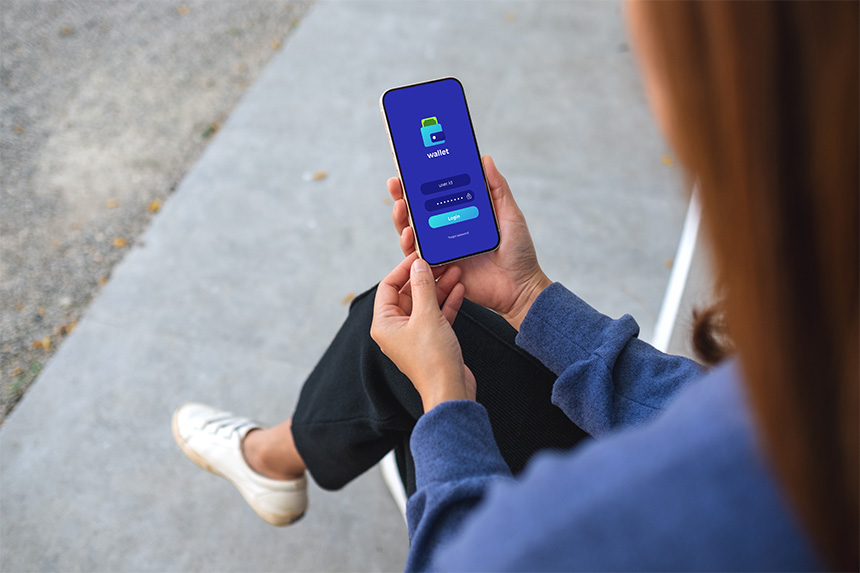
Having a strong password is a fundamental step in maintaining your overall online security and privacy, as it helps prevent unauthorized access to your accounts and protects against identity theft.
To come up with a password that’s difficult to crack but easy to remember, you can use these strategies.
- Use strong, hard-to-guess passwords. Mix uppercase and lowercase letters with numbers to make your password tougher for others to crack.
- Create different passwords for every account. Avoid reusing passwords, especially for sensitive services like banking. This helps protect all your accounts if there's a breach on one site.
- Update your passwords regularly. Changing your passwords every three to six months helps reduce the chance of hackers discovering them.
- Keep your password private. Never share your login details with anyone, no matter how much you trust them.
- Avoid saving passwords on your browser. While manually entering your information each time may be inconvenient, it adds an extra layer of security in case your device is lost or stolen.
2. Switch on Two-Factor Authentication
Two-factor authentication (2FA) adds an extra layer of security to your account by requiring a second step to confirm your identity, such as a one-time code sent to your phone or generated by an app. Even if someone manages to discover your password through phishing or data leaks, 2FA helps block unauthorized access by ensuring only you can complete the login.
This helps protect sensitive data and makes you less vulnerable to online threats. It strengthens your digital defenses and makes it harder for hackers to penetrate your online world.
3. Check Your Privacy Settings
Going through your privacy settings can help you to manage your personal information. This lets you control who can access your phone number, email address, date of birth, and online activity.
- For banking and medical platforms, set privacy settings to maximum to protect financial transactions or health information.
- In social media, make your profile visible to "Friends only" to keep personal details private.
- You can keep yourself open for networking while keeping private contact information restricted in your professional networks.
- Then, employ more restrictive settings in public forums to avoid spam and unwanted attention.
Adjusting your personal privacy preferences allows you to manage your online visibility, reduce targeted ads, and prevent unsolicited contact.
4. Update Your Software

Software updates ensure better compatibility with operating systems and patch up security vulnerabilities that hackers exploit. Updates fix bugs that can cause crashes or data loss. They also introduce new features and improvements to your user experience.
Invest in a reliable, high-speed internet connection to ensure your security software is regularly updated. This supports quick and automatic updating across multiple devices, making your digital world secure against emerging cyber threats.
5. Keep Your Internet Browser Up to Date
Keeping your browser updated is critical for a smooth, secure online experience. It protects you against the latest online threats and addresses any known issues or "bugs" that might affect your browsing experience.
Most browsers automatically check for updates and then prompt you to restart your browser if one is available. You can also manually update this in your settings.
Google Chrome
- Open Chrome and click the three-dot menu in the top-right corner.
- Go to “Help” > “About Google Chrome.”
- Chrome will automatically check for updates and install them if available.
- Restart the browser if prompted.
Mozilla Firefox:
- Open Firefox and click the menu button (three horizontal lines) in the top-right corner.
- Select “Help” > “About Firefox.”
- Firefox will automatically check and download updates.
- Restart the browser once the update is complete.
Safari (for macOS):
- Safari updates are usually included with macOS updates. To check for these, click on the Apple menu and go to “System Settings” (or “System Preferences” on older macOS versions).
- Select “General” > “Software Update.”
- If an update is available, click “Update Now.”
6. Secure Your Internet Connection
Securing your internet connection keeps the data you send and receive safe from interception. This can involve multiple factors.
When you're away from home, you can use a VPN to encrypt your data, so others can't easily read it. You should also use your mobile data instead of public WiFi.
At home, you can use the latest and most secure WiFi protection standards (like WPA3) in your home network, enabling firewalls, and browsing through secure HTTPS websites. These steps help prevent unauthorized access.
7. Avoid Harmful or Illegal Online Content
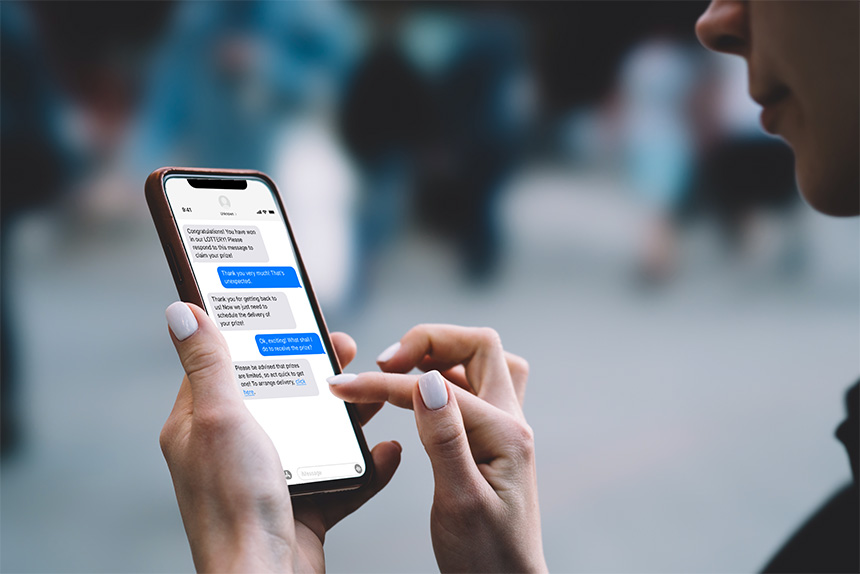
While you may avoid illegal online sites that can compromise your device and personal data, the danger lies in how harmful content often disguises itself as something else.
Here are practical ways to protect yourself while browsing online.
- Avoid clicking on suspicious links. Even if a link looks legitimate, check the URL carefully and avoid clicking links from unknown or unexpected sources. Also, never tap links from random messages, even if they claim to be from banks, delivery services, or your network provider. Always go directly to official websites instead.
- Be cautious with emails and messages asking you to download files. Legitimate organizations rarely ask users to download attachments or apps through unsolicited messages.
- Ignore suspicious ads and pop-ups. Close pop-ups that promise rewards, urgent fixes, or exclusive deals, especially if they appear on unfamiliar websites.
- Verify websites before entering information. Double-check the site’s URL, look for HTTPS, and access important platforms by typing the address directly into your browser.
- Avoid downloading files from peer-to-peer or unverified sources. Stick to trusted platforms and official app stores to reduce the risk of harmful or illegal content.
It's important to be vigilant, go only on reputable sites, and have security measures in place to protect against these deceptive practices.
8. Always Log Out of Your Accounts
It may seem obvious, but always logging out is a simple yet effective step in maintaining digital security, especially if you're sharing a household computer or using an office laptop.
Logging out prevents others from accessing your accounts after you leave the computer. This helps you avoid exposing your messages, financial details, and other private data to the next user.
Securing Small Businesses Online: Safeguarding Your Business Assets

While it's important for individual users to prioritize their online safety, it's also important for small businesses and enterprises to tackle cybersecurity challenges. With the rise of online threats such as data breaches, ransomware, and targeted phishing, fortifying digital defenses becomes essential.
If you’re a business owner, invest in strong cybersecurity solutions like firewalls and antivirus software, and ensure regular backup of business data to keep it safe. You should also have a plan in place to identify, protect against, detect, respond to, and recover from cyber threats. These simple actions will help secure your business's digital presence and build trust with your customers.
Practicing internet safety is essential for everyone. Educate yourself, your kids, and older adults about online scams and phishing attempts. Pass on the knowledge of privacy settings and teach them to trust only secure websites.
By following these online safety tips, you can #StopSPAM and take part in the #MakeItSafePH initiative to create a safer digital space for all.