In this article:
It’s easy to assume something is wrong when your phone shows anything other than the “5G” icon. But in reality, your device is simply switching to the strongest available network to keep you connected.
From the early days of basic texting to the high speeds available today, each network type offers a different level of performance. When you understand the difference between LTE vs 5G, 4G vs 5G, and older generations, you won’t have to worry when your signal icon changes.
This guide gives a clear, easy look at each network type, so you can make the most of your everyday connection.
Mobile Data Generations at a Glance
From “E” to “5G,” each icon on your phone reflects how fast and responsive your connection can be at any given moment.
| Icon | Generation | Best for | Typical Experience |
| G | 2G (Second Generation) | Basic messaging | Minimal data, best for simple texts or SMS |
| E | EDGE (Enhanced Data Rates for GSM Evolution) | Basic messaging | Slightly improved data over 2G, but still limited to simple tasks |
| 3G | 3G (Third Generation) | Light browsing | Steady for emails and standard quality photos |
| H+ | HSPA+ (Evolved High-Speed Packet Access) | Light browsing | Faster than 3G, supports smoother browsing and media loading |
| 4G | 4G (Fourth Generation) | HD Streaming | Smooth performance for social media and video |
| LTE | LTE (Long Term Evolution) | HD Streaming | Faster and more stable than standard 4G for streaming and downloads |
| 5G | 5G (Fifth Generation) | Real-time gaming | Ultra fast speeds with almost no buffering or lag |
Note: Each “G” stands for “Generation,” which refers to different stages of mobile network technology.
EDGE: The Reliable Backup
If you see an “E” on your phone screen, you’re likely using EDGE, which stands for Enhanced Data Rates for GSM Evolution.
It’s a refined version of older 2G technology, sometimes called 2.5G, and was one of the first ways mobile devices accessed basic internet in the early 2000s.
- Typical speeds: Peak around 384 kbps, but real-world averages range from 30 to 100 kbps (or even lower in weak spots)
- What it’s good for: Sending texts with photos, checking email, and loading simple web pages. It works best for light tasks that prioritize basic connectivity over speed.
- How it’s used today: As older networks continue to phase out, EDGE may appear as a fallback in rural or low-signal areas. It helps keep communication available when stronger signals are limited.
3G: The Bridge to Mobile Internet
Following 2G, 3G was introduced in the Philippines around 2008, making mobile browsing and social media more accessible.
When you see “H+” on your device, it refers to HSPA+, the most advanced version of 3G, which enables a smoother, more media-rich experience.
- Typical speeds: Real-world speeds typically range from 1 to 8 Mbps, with HSPA+ capable of reaching up to 42 Mbps under ideal conditions.
- What it’s good for: Smooth email use, social media browsing, and standard video calls
- How it’s used today: Nationwide decommissioning is underway through 2026 to make room for newer technologies. If your phone drops to 3G, it may be time to upgrade your SIM or device for a more seamless experience.
4G/LTE: The Everyday Hero
Next is 4G, also known as LTE (Long Term Evolution), which most users rely on today. It acts as the foundation of everyday mobile use, supporting everything from social media to video streaming.
- Typical speeds: Real-world downloads of 20 to 100 Mbps, with peaks over 300 Mbps possible
- What it’s good for: HD video streaming, video calls, quick downloads, and smooth browsing across multiple apps
- How it’s used today: With wide coverage across many areas, 4G LTE continues to deliver reliable performance for everyday use. Globe’s network helps support smooth browsing, streaming, and other daily online activities.
5G: The Future in Your Pocket
5G is the latest generation of mobile networks, designed to deliver faster speeds and more responsive connections. By using higher frequency bands, it can handle more data and support more devices at once.
- Typical speeds: Real-world averages 150 to 500+ Mbps (peaks over 1 to 3 Gbps in prime spots), often 3x faster than 4G
- What it’s good for: 4K/8K streaming, lag-free online gaming, instant large file uploads/downloads, Augmented Reality (AR) filters, and even smoother remote work or smart home setups
- How it’s used today: Globe continues to expand 5G coverage, with strong availability in Metro Manila and growing reach nationwide. With a compatible device, it offers a noticeable upgrade for apps and entertainment subscriptions.
Why Your 5G Connection Occasionally Switches to Older Gens
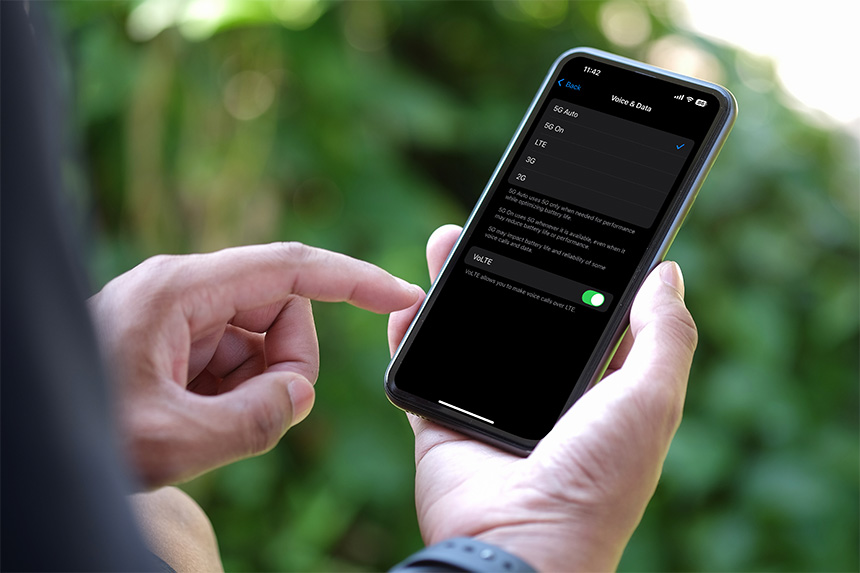
There are several reasons why your phone switches network types. Understanding these reasons helps you manage your digital experience and maintain a strong connection.
Device Settings
Modern phones often have a setting that switches to lower-power networks when not in use to conserve battery life.
For example, if you set your phone to “5G Auto,” it toggles based on what you’re currently doing. It might drop to 4G while your phone is in your pocket and then jump back to 5G the moment you start a large download.
Network Handover and Congestion
The network automatically balances traffic across available network resources. During peak hours or at crowded events, the network shifts some devices to 4G to keep everyone connected.
This handover prevents slowdowns for all users by distributing traffic across different frequencies.
Spotty or Fringe Coverage
While 5G is expanding rapidly across the country, there are still areas with limited coverage. In these areas, your phone automatically falls back to 4G or even EDGE to keep your basic calls active.
This automatic transition ensures you stay reachable even when you’re on the move. If you frequently rely on mobile data at home and experience weak indoor signals, a dedicated home broadband connection may offer a more stable experience.
Structural Barriers
Higher-frequency signals, such as 5G, offer faster speeds but can struggle to penetrate physical obstacles. Thick concrete walls, metal roofing, or being in an elevator can block these signals. In these cases, your phone finds the stronger, long-range signal to keep your data flowing.
Quick Fixes to Help Restore a Faster Connection
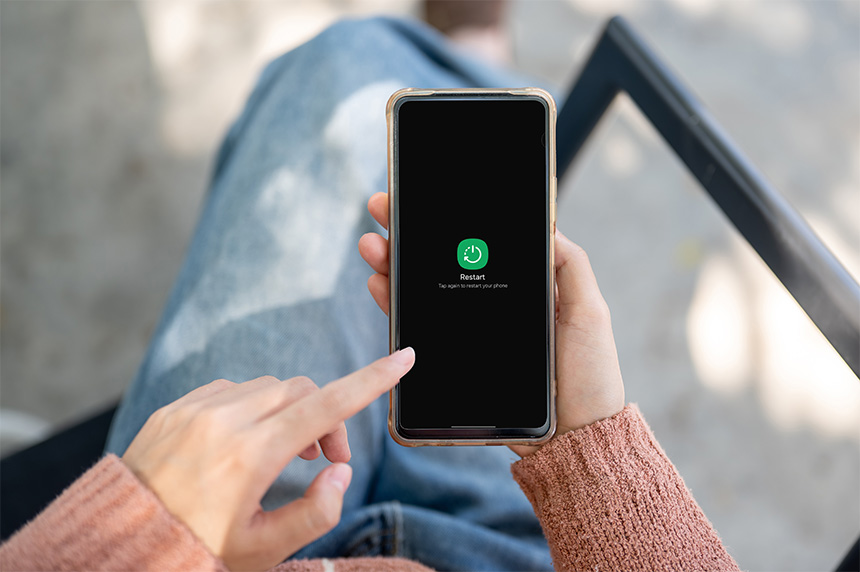
Network switching is a beneficial feature because it keeps your calls stable and extends your battery life. But if you prefer to reconnect to 5G, you may try these simple steps.
- Restart your phone. This clears the temporary cache and refreshes your device’s connection to the nearest cell tower.
- Toggle Airplane mode. Turning this on and off for a few seconds forces your phone to search for the best available network in your area.
- Find a strong 5G zone. You can move toward open spaces or windows to see where the strongest 5G signals are most accessible.
- Lock manually. In areas with very weak 5G signals, manually locking your phone to 4G in your settings can provide a more consistent data experience.
Enjoying a Connection That Keeps Up With You
Seeing that small network icon change is simply a sign that your device is working hard to deliver the best possible speed and reliability. As older networks begin to phase out, upgrading your prepaid SIM to 5G or switching to a 5G-ready device ensures your experience remains smooth and consistent.
Because your digital lifestyle deserves a connection that matches your daily routine, there are plenty of ways to stay powered up. You can enjoy prepaid 5G promos for high-speed data without a fixed monthly commitment, or a reliable postpaid plan for a consistent monthly service.
Even in areas with weaker mobile signals, exciting new options like Satellite-to-Mobile technology are opening the door to staying online in remote locations. By embracing these advanced mobile technologies, you can keep your digital world moving exactly at your pace.