In this article:
If you’re planning to work, build a freelance career, start a business, or become an overseas Filipino worker (OFW), registering with the Social Security System (SSS) is a must.
Once you become an active member, you can access the programs and services offered by this Philippine government institution, including sickness, maternity, and retirement benefits.
Fortunately, you can skip long lines and multiple visits to SSS branches with a faster, more convenient online application process. Learn how to register SSS online with this guide, plus everything you need to know about membership, contribution rates, employer responsibilities, and more.
Why SSS Membership Matters and Its Benefits
An SSS membership provides a lasting financial safety net that can help Filipinos prepare for emergencies, major life events, and future needs, including opportunities for low-interest salary and housing loans.
When you pay contributions, you’re entitled to a host of benefits.
Sickness Benefit: SSS helps cover part of your lost income when illness prevents you from working.
Maternity Benefit: A daily cash allowance is available to assist mothers recovering from childbirth and taking time off work to care for their newborn.
Retirement Benefit: All members are eligible for this benefit after leaving the workforce, which may be paid as a monthly pension or a lump-sum payment.
Disability Benefit: If a medical condition affects your capacity to earn a living, you may qualify for a monthly payout or a one-time payment.
Employees’ Compensation (EC) Program: If you suffer a work-related illness, injury, disability, or death, you may be eligible to receive medical, rehabilitation, and income benefits under the EC Program. For employed members, the employer pays the full EC contribution, so nothing is deducted from the employee’s salary. Covered members include private sector employees, household workers, sea-based OFWs, and self-employed members.
MySSS Pension Booster: This rebranded version of the Workers’ Investment & Savings Program (WISP) is an optional way to save more for retirement. By paying extra contributions, you can receive a higher pension in the future.
Funeral Benefit: SSS provides a cash benefit to help reimburse expenses paid for a member who has passed away.
Death Benefit: Receive a monthly pension or a lump sum if you’re the eligible beneficiary of a deceased SSS member.
Salary Loan: A short-term salary loan that provides members with quick access to funds for urgent financial concerns.
- Unemployment Insurance or Involuntary Separation Benefit: If you’re laid off or lose your job for reasons beyond your control, SSS can provide temporary financial assistance to help cover your expenses while you look for your next opportunity.
Important Note: While most benefits are claimed by the member, Death Benefits are claimed by the qualified recipients of the deceased SSS member. These may include primary or secondary beneficiaries, in accordance with SSS guidelines.
Which SSS Coverage Applies to You
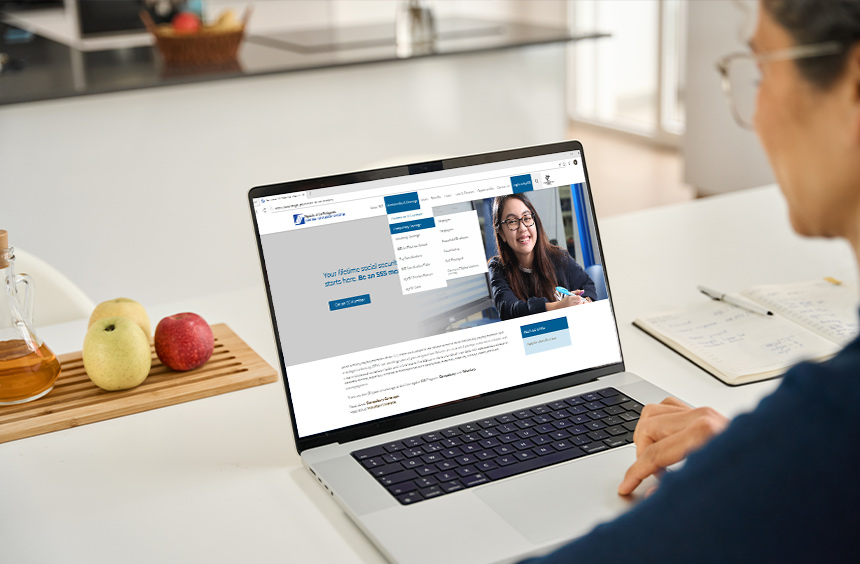
SSS coverage classifications determine how your contributions are categorized and paid, as well as your qualification for benefits, loans, and pensions. These are grouped into compulsory and voluntary coverage, depending on a member’s employment status and personal circumstances.
Coverage Type | Description | Who’s Covered? |
| Compulsory Coverage | These are the individuals who are required by law to be covered. |
|
| Voluntary Coverage | These are the individuals who are outside mandatory coverage but wish to remain members. |
|
Important Note: OFWs who stop working abroad may continue paying contributions voluntarily to maintain their rights for full benefits. Meanwhile, Filipino permanent migrants, immigrants, long-term residents, and naturalized citizens of foreign countries may also rejoin the same arrangement.
How to Complete Your SSS Online Registration
Now that you understand the basics of SSS, consider this step-by-step guide to getting your SS number online.
- Go to the SSS website.
- Click “Apply for an SSS Number Online.”
- Fill out your personal details and click “Submit.” When completing your SSS online registration using a mobile number, use an active one, as it’s required for verification and one-time passwords.
- Check your email for your SS number and confirmation link.
- Complete all required details, from basic information to beneficiaries, and review your entries carefully.
- Click “Generate SS Number” to finalize your registration. You’ll receive your SS number via email, along with downloadable forms and next steps.
- Print your ePersonal Record Form, SS Number Slip, and the confirmation email.
- Submit your printed documents and valid IDs to the nearest SSS branch, if required, for verification and final processing.
Your SSS registration status may remain “pending verification” until your details and required documents are validated. Once approved, your account will be fully activated and ready for use.
What You Can Do with the SSS Online Portal
The My.SSS portal lets members and employers conveniently manage their SSS accounts online. Whether you're checking contributions, filing benefit claims, or submitting reports, you can access a range of services in one place.
Individual Members | Employers |
|
|
How to Check SSS Contributions Online
Once your account is active, you can easily monitor your payments and records through your My.SSS account. Keep the following steps in mind to check your contributions online.
- Log in to your My.SSS account.
- On the Member Inquiry page, hover over the “Inquiry” tab. From the dropdown, click “Contributions.”
- You’ll be redirected to the “Contributions – Actual Premiums” page, where all your monthly contributions since you became an SSS member are displayed.
- Review your contribution history carefully.
- Save or print the page for your record.
Checking your contribution history regularly helps you confirm that your payments have been posted correctly and that your membership records are up to date.
FAQs about SSS Membership

Find answers to common SSS questions to help you make the most of your membership and stay informed.
Do I need an SS number when applying for a job?
Yes, you need an SS number when applying for a job, especially since employers usually require it as part of their employee registration process.
But some companies may assist new hires in completing the SSS requirements after being accepted. If you’re unregistered, you can complete your SSS online registration or visit the nearest branch to get started.
What are employers’ responsibilities after SSS registration?
Once registered as an SSS employer, you’re expected to do various responsibilities to stay compliant with SSS requirements.
- Report newly hired employees within 30 days.
- Remit monthly contributions on time.
- Generate PRNs through the SSS online portal.
- Keep employee records accurate and updated.
- Provide proof of compliance when required.
How do I know my SS number?
To know your SS number, check your old SSS records first. This includes your SSS ID, E-1 form, payslips, or past emails and texts from SSS. If you have a My.SSS account, you can also log in and view your number in your profile.
If you still can't find it, ask a previous employer who may have it on file or visit the nearest SSS branch with a valid ID.
How much is the SSS contribution per month?
Your SSS contribution is based on your salary bracket. Each bracket has a corresponding Monthly Salary Credit (MSC), which serves as the basis for computing your contribution. The minimum MSC is ₱5,000, while the maximum is ₱35,000. For special membership types, MSC starts at ₱1,000 for household employees, while for OFWs, it’s ₱8,000.
The current SSS contribution rate is still 15% of the MSC, per the SSS Schedule of Contributions. This rate took effect in 2025 under the Social Security Act of 2018 (Republic Act 11199) and continues to apply in 2026.
If you’re employed, you only pay 5% of your salary credit because your employer covers the remaining 10%. If you’re self-employed, you pay the full 15%.
Suppose your assigned MSC is ₱20,000. Here’s a sample computation of your monthly SSS contribution. The amount you’ll pay depends on your membership type.
Member Type | Monthly Salary Credit | Contribution Rate | Total SSS Contribution | Employee’s Share | Employer’s Share |
| Employed | ₱20,000 | 15% | ₱3,000 | ₱1,000 (5%) | ₱2,000 (10%) |
Self- employed | ₱20,000 | 15% | ₱3,000 | ₱3,000 (15%) | Not Applicable |
How many years do I have to pay SSS?
You need at least 120 monthly contributions (10 years’ worth) before the semester of your retirement to qualify for a monthly pension. You must also be at least 60 years old and no longer working, whether as an employee, self-employed, an OFW, or a household helper.
If you fall short of 120 contributions, you’ll receive a lump sum instead: your total contributions (both employee and employer shares, if applicable) plus earned interest.
What will happen if I skip my SSS contributions?
Skipped contributions create gaps in your record, which can affect your eligibility for certain benefits. The good news is your past contributions stay on file. If you lose your job, you can pause payments and simply resume once you’re earning again.
Employees are a different case. Your employer is legally required to deduct and remit your contributions, and they face penalties if they don’t. If that happens, report it to SSS.
A Lifetime of Protection and Benefits
Learning how to register SSS online is a simple step toward securing your financial future. As soon as your membership is qualified and active, start making your contributions and enjoy the benefits SSS provides.
Before you begin applying for an SSS membership online, make sure you have a reliable home internet connection, so you can finish your application in minutes. A prepaid fiber connection also works as a handy backup, so you can still track your records and benefits even if your primary line goes down.
When checking your account on the go, a mobile prepaid promo lets you reload data as needed. For more frequent SSS transactions or activities such as watching videos from the SSS YouTube Channel, a postpaid plan provides consistent connectivity and bigger data allocations.
Once you’re an official SSS member, remember also to pay your contributions on time to continue receiving your membership benefits. GCash makes this easy: generate your PRN through the My.SSS portal, then settle your payment in a few taps.
Life is full of uncertainties. That’s why the best time to establish your social security protection is now.