In this article:
Hybrid work is here to stay, transitioning from merely being a luxury to becoming a necessity for the modern professional. It offers a vital shield against rising costs and economic shifts.
To thrive in this “anywhere office,” your digital toolkit must be as mobile as you are.
Here’s everything you need to equip you for a hybrid work set-up, from the tools you need to productivity hacks you may want to employ.
What’s a Hybrid Work Set-Up?
Hybrid work combines the structure of the office with the freedom of remote flexibility. By splitting time between collaborative on-site days and focused remote sessions, you maximize output while maintaining a healthier work-life balance.
What are the 5 C’s of Hybrid Working?
To thrive in a hybrid work set-up, many experts point to the 5 C’s: Communication, Collaboration, Culture, Connection, and Coordination/Care. These principles help teams stay aligned and productive while adapting to energy realities and flexible schedules.
- Communication: Clear channels prevent misunderstandings between in-office and remote days.
- Collaboration: Tools that bridge locations keep projects moving smoothly.
- Connectivity: Fast, reliable internet forms the foundation.
- Culture: Intentional efforts build belonging, whether virtual or in-person.
- Coordination/Care: Streamlined processes and a focus on well-being ensure that work flows smoothly while supporting the mental and physical health of the team.
Prioritizing these principles transforms hybrid work into an energizing experience that balances professional excellence with personal sustainability.
Hybrid Work vs. Remote Work: What’s the Difference?
While often used interchangeably, hybrid and remote work are distinct working models. Distinguishing between the two is essential for optimizing your workflow. Understanding these nuances helps you choose the right tools and connectivity to stay productive, regardless of where your desk is located.
- Remote Set-Up: Employees work entirely outside the office, at home, or at a remote location with internet access. They rarely visit a physical office.
- Hybrid Work Set-Up: A combination of in-office and remote work, it offers employees the flexibility to choose where they work on specific days. Common set-ups include working at the office once a week or several times a month.
Reliable Connectivity: The Backbone of a Hybrid Work Set-Up

With hybrid work reducing road congestion and energy demands, reliable connectivity has moved from a convenience to a professional necessity. Maintaining a seamless link is the only way to ensure uninterrupted productivity.
To stay ahead, focus on building a high-performance set-up that keeps you connected and efficient from any location.
Stable Internet for Seamless Remote Day
Working from home demands fast and stable internet. Frequent video calls, cloud-based collaboration, and data-sharing platforms require uninterrupted connectivity.
When choosing a home internet plan, consider your household’s internet usage. Selecting higher-speed packages is ideal if there’s a need to support multiple devices simultaneously. Optimize your home office performance with these essential connectivity strategies.
- Power through HD meetings and large file sharing with Globe GFiber. Choose GFiber Postpaid for a stable, always-on connection for uninterrupted productivity, or GFiber Prepaid for reliable, fiber-fast internet with no long-term commitments.
- Improve your internet coverage by adding WiFi mesh extenders or additional routers at home. This ensures that every corner of the house is a productive hybrid workspace.
- For a cleaner, more convenient alternative to mesh systems, consider fiber-to-the-room solutions that deliver direct, high-speed fiber connections to key areas without extra hardware clutter.
- Secure your momentum during power shifts or gaps with Globe At Home 5G WiFi as your secondary connection. Get UNLI Internet for 30 days for 8 to 15 devices, keeping your professional output steady and your household connected for both work and play.
Mobile Connectivity to Work Anywhere

Hybrid workers often find themselves shifting between locations, from a quiet co-working space to a comfortable coffee shop. While relying on public WiFi can be tempting, it carries security risks for sensitive work. A secure mobile data connection is safer and more dependable, especially useful when energy advisories encourage more strategic travel habits.
- Postpaid plans deliver stable, secure connectivity on the go, reducing reliance on risky public networks and protecting important information.
- For a premium experience with the same reliable performance, Globe’s Platinum and Platinum perks offer benefits like enhanced international roaming and priority support, ideal for hybrid lifestyles that may involve occasional travel.
- For more flexible options, prepaid promos such as Go+ provide generous data bundles with UNLI calls and texts, so you can handle tasks efficiently even outside your home set-up.



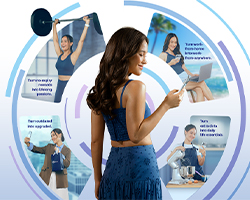

Hybrid Worktools to Bridge the Gap Between Home and Office
Collaboration tools have stepped up as the digital glue that holds diverse, distributed teams together. These hybrid work tools create a virtual workspace where distance is no barrier.
Essential Tools for Seamless Collaboration

Effective teamwork is essential in a hybrid work environment, and online tools are indispensable for real-time communication on important meetings, projects, and documents.
Here are some examples of collaboration tools.
- Slack offers user-friendly channels and threads that keep project conversations organized and searchable.
- Microsoft Teams provides a powerful hub for calls, file sharing, and meetings through its deep integration with Microsoft 365.
- Zoom delivers high-quality video conferencing equipped with screen sharing and breakout rooms for focused team discussions.
- Workplace from Meta utilizes a familiar social-style interface featuring news feeds and groups to boost company engagement.
- Google Chat enables real-time coordination and document editing thanks to its tight integration with Google Workspace.
Tip: Look for gadget bundles that offer flexible payment options for buying high-quality laptops and tablets. With current postpaid plans that include versatile bundles, you can move smoothly between the office and remote work using the latest devices.
Project Management Platforms for Every Workflow
Tracking tasks and timelines can become challenging in a hybrid work model. Project management tools help organize workflows and monitor progress efficiently.
In addition, their integration capabilities with communication tools make it easy to share updates and discuss project details without switching platforms.
Here are some examples of project management tools.
- Trello uses visual boards and cards to provide an intuitive, at-a-glance view of project progress.
- Asana transforms complex projects into actionable tasks with clear timelines and workload management views.
- Monday.com empowers teams with highly customizable workflows, offering Kanban, timeline, and calendar options.
- Jira serves development teams with specialized agile features and robust issue-tracking capabilities.
- Smartsheet combines a familiar spreadsheet-like interface with advanced automation to manage even the most complex projects.
Tips for Building a Productive Hybrid Workspace

A high-performance hybrid workspace requires an intentional environment where focus and flexibility co-exist. Designing a space that balances quiet concentration with seamless collaboration ensures you remain productive and adaptable in any setting.
Organize your home office.
Designate a distraction-free zone equipped with ergonomic furniture and essential tools. Using automated lighting and energy-efficient devices can enhance your comfort while helping you manage household power usage more thoughtfully.
Use cloud storage solutions.
Tools like Google Drive (with free 15 GB and seamless app integration) Dropbox, and Globe Cloud (currently available on Web and Android, coming soon on iOS) can help keep files accessible across devices while providing a secure back-up for important documents and files. This can make it easier to move between home and office workspaces without losing access to important information. Globe Cloud subscriptions are available through GlobeOne.
Prioritize personal well-being.
Integrating a regular digital detox into your routine is a powerful way to protect your mental energy. Stepping away from your devices ensures you return to work with a sharper focus and a more balanced perspective.
Powering Up Your Productivity with Seamless Connectivity
Building a productive hybrid workspace is all about having the right mix of tools, habits, and reliable connectivity that empowers you to work confidently anywhere. With a well-prepared setup at home and on the go, hybrid professionals can sustain high productivity, nurture team connections, and adapt gracefully to whatever the day (or the world) brings.

By day, he blends years of writing and editing expertise into impactful content. By night, he’s streaming TWICE songs while figuring out whether Ryan Reynolds is Deadpool or if Deadpool really is Ryan Reynolds.


