In this article:
- Understanding Globe ONENUMBER and How It Works
- How eSIM Differs from a Standard SIM
- Device Compatibility and Eligibility for Globe ONENUMBER
- Activating Globe ONENUMBER on Your Smartwatch
- Managing Your ONENUMBER Account and Devices
- Enjoying the Benefits of ONENUMBER
Ever wish you could stay connected without always reaching for your phone? Today’s smart devices make it easier to stay in touch, manage tasks, and respond quickly wherever you are.
As technology evolves, wearable devices like smartwatches continue to expand beyond being just fitness trackers. These tools now let users send messages, make calls, track health, and access apps right from their wrists!
With the introduction of eSIM technology, Globe’s ONENUMBER now makes it possible for your smartwatch to share the same mobile number as your smartphone. This guide covers everything you need to know about Globe ONENUMBER and how to start using it.
Understanding Globe ONENUMBER and How It Works
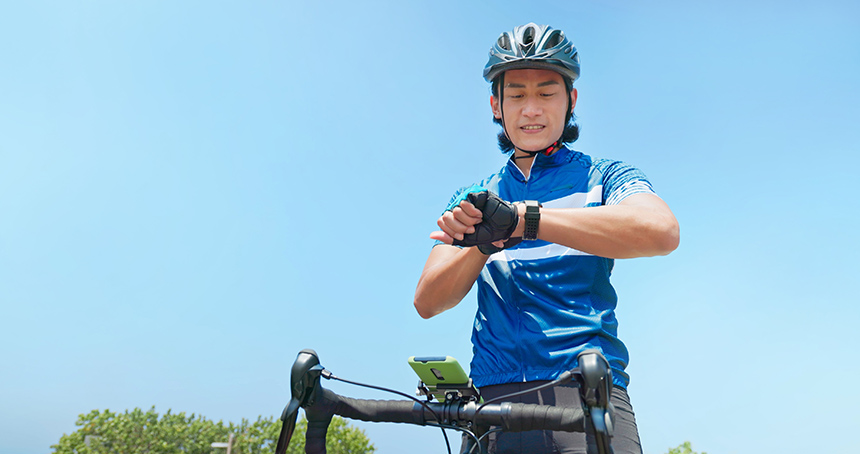
Globe ONENUMBER is an add-on service that lets you use the same mobile number on both your smartphone and smartwatch. Powered by eSIM technology, it gives your watch LTE connectivity, so you can stay connected even when your phone is tucked away.
That means you can make or receive calls, send messages, and use data-powered features straight from your wrist. Whether you’re working out, running errands, or traveling light, keeping in touch becomes much more convenient.
How eSIM Differs from a Standard SIM
The technology behind ONENUMBER is called eSIM. It works like a regular SIM card, but instead of inserting a physical card, the SIM is already built into your device and activated digitally.
Because there’s no plastic SIM to handle, eSIMs help reduce waste while making set-up faster and more flexible. You can also switch plans or activate service on compatible devices without the hassle of swapping cards.
Device Compatibility and Eligibility for Globe ONENUMBER

Before getting started, make sure your devices are ready for ONENUMBER. You’ll need a compatible smartphone, a supported smartwatch, and a Globe Postpaid or Platinum Plan.
Here are the devices currently compatible with the service.
Apple
iPhone
- iPhone 6s or later
- Running iOS 15.2 or later
Smartwatch (GPS + Cellular only)
- Apple Watch Series 3 and later
- Apple Watch SE
- Running watchOS 8.3 or later
Samsung
Smartphone
- All Samsung smartphones
Smartwatch (GPS + Cellular only)
- Galaxy Watch5
- Galaxy Watch5 Pro
- Galaxy Watch6
- Galaxy Watch6 Pro
Huawei
Smartphone
- All Huawei smartphones running Android 6.0 or later
Smartwatch (GPS + Cellular only)
- Huawei Watch 4
Activating Globe ONENUMBER on Your Smartwatch
Once you’ve confirmed compatibility, setting up ONENUMBER is quick and easy. Just follow the steps below for your smartwatch.
In just a few minutes, you’ll be ready to enjoy calls, messages, and connectivity straight from your wrist.
Apple Watch
- Pair your Apple Watch with your iPhone.
- Open the Watch app on your iPhone.
- Tap the “Cellular” tab.
- Tap “Set Up Cellular.”
Samsung Galaxy Watch
- Pair your Galaxy Watch with your smartphone.
- Open the Galaxy Wearable app.
- Go to “Watch Settings.”
- Tap “Mobile Plans.”
- Tap the ⋮ menu, then select “Add Mobile Plan.”
Huawei Watch
- Pair your Huawei Watch with your smartphone.
- Open the Huawei Health app.
- Go to “eSIM Management.”
- Select “One Number, Two Devices.”
For Verification and Activation
- Enter your 11-digit Globe Postpaid mobile number to receive an OTP.
- Input the OTP to verify your number.
- Enter your Voucher Code, then tap “Redeem.”
- Review the subscription details and accept the Terms & Conditions.
Once completed, your ONENUMBER service should be activated on your smartwatch within seconds.
Managing Your ONENUMBER Account and Devices
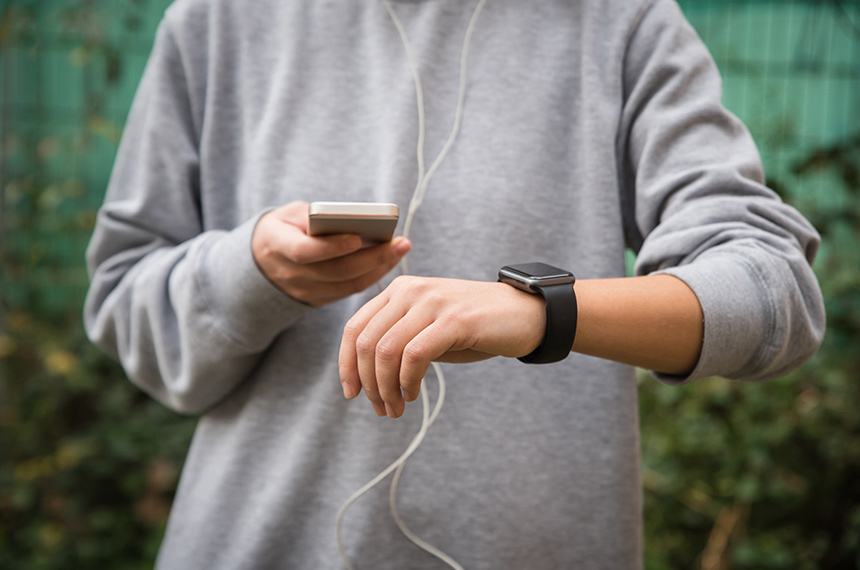
Once your ONENUMBER service is active, it helps to know what to do if your setup changes. From replacing a lost device to updating your number, staying informed makes managing your account easier.
Whether you lose a device, switch mobile numbers, cancel your add-on, or need a replacement eSIM voucher, these tips can help keep your service secure and up to date.
If Your Phone or Smartwatch Gets Lost
If any of your devices is lost, contact Globe immediately to stop your ONENUMBER add-on. You can also raise a request online by following these steps.
- Log in to GlobeOne app.
- Go to “Help & Support.”
- Go to the search bar and type “I want to change my plan and boosters.”
- Tap “Raise a Concern.”
- Provide a detailed description of your concern.
If You Change Your Mobile Number
Planning to change your Globe mobile number? You’ll first need to opt out of ONENUMBER and remove your existing carrier plan before switching.
You can reach Globe Customer Service through the following channels:
- Email for Mobile concerns: [email protected]
- Call: (02) 7917-2888 or the toll-free number 1-800-8917-2888 for 24/7 assistance.
How to Cancel Your Add-On
If you’d like to cancel your ONENUMBER add-on, simply follow the same support steps above. A Globe representative will contact you within 48 hours to assist with the request.
Replacing a Lost eSIM Voucher
Lost your eSIM voucher? No worries. Just visit the nearest Globe store to get a replacement voucher for free. If you can’t claim it right away, just make sure your line is temporarily disconnected to prevent unauthorized use.
Enjoying the Benefits of ONENUMBER
ONENUMBER and eSIM technology are designed to make your mobile experience seamless by simplifying how you use your devices every day—whether you’re managing tasks, staying reachable, or moving through your routine with less to carry. They help reduce digital waste, make switching plans easier, and help you get the most out of your devices.
Ready for a more connected lifestyle? Visit our page to learn more about Apple Watch and other devices you can get with a Globe plan.