In this article:
- What's RFID?
- Why Do You Need an RFID Balance Checker?
- List of Expressways Using RFID
- How to Check Your Easytrip and Autosweep Balance
- How to Load Your RFID
- Keeping Your RFID Ready
With expressways connecting different parts of Luzon, destinations like Tagaytay, Baguio, Ilocos, and other popular spots can be part of your next road trip. So, having your travel essentials ready, especially your toll payments, lets you and your family or barkada focus on enjoying the journey, whether it’s a quick drive or one of your planned long weekend getaways.
Before hitting the road, knowing how to check your RFID balance can help you stay prepared, avoid unexpected stops, and keep your long drive hassle-free.
What's RFID?
RFID stands for radio frequency identification, a wireless technology that uses radio waves to identify and manage objects. For expressway tolling, an RFID sticker on your vehicle’s windshield links to your toll account. When you pass through an RFID-enabled lane, the reader detects the sticker and deducts the toll fee from your account.
RFID also makes toll payments easier to manage across daily commutes in and out of Metro Manila, giving you a convenient way to pay as you travel.
Why Do You Need an RFID Balance Checker?
Checking your RFID balance before a trip helps you know how much you have available for toll fees along your route. Vehicles using toll expressways managed by the Toll Regulatory Board (TRB) must have a valid Electronic Toll Collection (ETC) device or Radio Frequency Identification (RFID) sticker as part of the Cashless/Contactless Transactions Program.
There’s no required minimum balance, but you need enough load to cover the toll fees for your trip.
Keeping track of your balance also helps you avoid penalties under Joint Memorandum Circular (JMC) No. 2024-001. The amount depends on the violation and the number of violations.
- Insufficient RFID balance
- First violation: ₱500 fine
- Second violation: ₱1,000 fine
- Subsequent violations: ₱2,500 fine
- No valid RFID or ETC device
- First violation: ₱1,000 fine
- Second violation: ₱2,000 fine
- Subsequent violations: ₱5,000 fine
A violation for traveling without a valid RFID or ETC device may also result in a Temporary Operator’s Permit (TOP) or Show Cause Order (SCO). A TOP serves as a temporary permit to operate the vehicle while the violation is being recorded, while an SCO requires the vehicle owner or driver to explain the violation to the LTO.
List of Expressways Using RFID
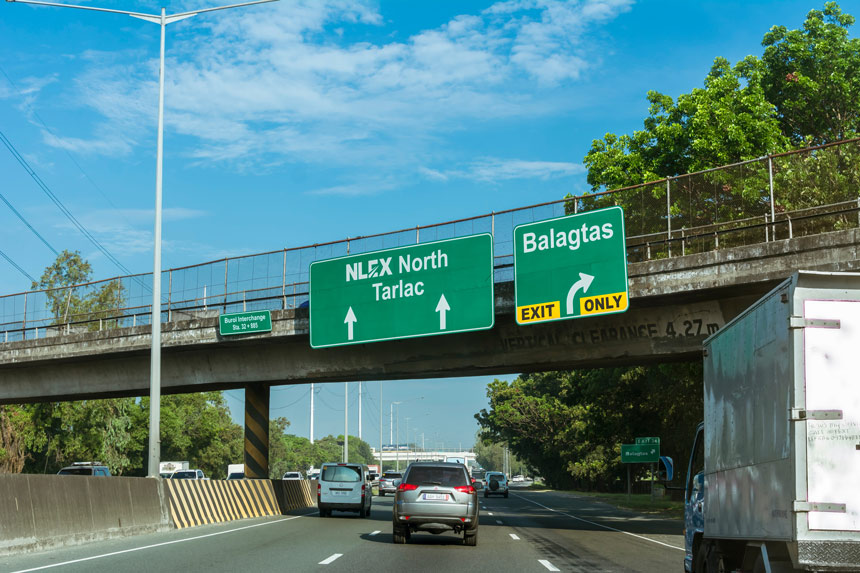
For a more convenient trip before heading north or south, it helps to know which expressways accept RFID for toll payments. Check your destination ahead, so you can plan accordingly.
Expressways with Easytrip RFID
Heading up north for destinations like Subic or Baguio means passing through several Metro Pacific Tollways Corporation (MPTC) roads that use Easytrip RFID.
- NLEX (North Luzon Expressway)
- NLEX Connector
- SCTEX (Subic-Clark-Tarlac Expressway)
- CAVITEX (Manila-Cavite Expressway)
- C5 Link
- CALAX (Cavite-Laguna Expressway)
Expressways with Autosweep RFID
For trips to destinations like Cavite, Quezon, or Tarlac, you may pass through San Miguel Corporation (SMC) tollways that use Autosweep RFID.
- SLEX (South Luzon Expressway)
- Skyway System
- NAIAX (NAIA Expressway)
- STAR Tollway (Southern Tagalog Arterial Road)
- TPLEX (Tarlac-Pangasinan-La Union Expressway)
- MCX (Muntinlupa-Cavite Expressway)
Through the One RFID, All Tollways program, eligible motorists can enroll with one RFID provider and use the same RFID account and balance across Luzon expressways. Enrollment is optional.
How to Check Your Easytrip and Autosweep Balance

Now that you know which expressway you’ll take to your destination, it’s time to see if your RFID balance can cover the trip.
For Easytrip RFID
Drivers with Easytrip can check their available load through different channels, giving them flexibility in how they manage their account.
Via MPT DriveHub:
- Download and open the MPT DriveHub app.
- Sign in to your account to access your linked RFID.
- Go to the RFID section, tap “ADD NEW RFID,” and enter your 12-digit account number, 16-digit card number, and vehicle details.
- Once your RFID is linked, your available load will appear on the dashboard.
Via Website:
- Open https://easytrip.ph.
- Find the “Quick Balance Inquiry” section on the homepage.
- Enter your 12-digit account number in the first field box.
- Select “Plate Number,” “Email Address,” or “Contact Number” from the dropdown, then enter the corresponding details.
- Tick the checkbox for “I have read and I agree to the Terms and Conditions” and check the “I’m not a robot” reCAPTCHA box.
- Click Check Balance to view your available load.
Via SMS:
- Open your phone’s Messaging app.
- Type BAL<space><12-digit Easytrip account number>.
- Send the message to 09191601553.
- Wait for the SMS reply with your current balance.
Via Hotline:
- Dial (02)1-3500 to call the Easytrip customer hotline.
- Press 1 for Easytrip, then 1 for balance inquiry.
For Autosweep RFID
You can access your remaining Autosweep load through three options, giving you more ways to check your account during a stopover or while picking up food at a drive-thru.
Via Mobile App:
- Download and open the Autosweep RFID Mobile App.
- Tap “Quick Balance” on the app’s home screen.
- Enter your Autosweep RFID account number.
- Tap “Check Balance” to see your remaining load.
Via Website:
- Open https://autosweeprfid.com/v4/web.
- Click “BALANCE INQUIRY” from the top navigation menu.
- Select “Customer Web Portal” from the dropdown.
- Log in to your Autosweep account.
- Click the “Check” button to view your current balance.
Via SMS:
- Open your phone’s Messaging app.
- Type AUTOSWEEP BALINQ <space> <plate number> or AUTOSWEEP <space> BALINQ <space> <card number>.
- Send the message to 09178608655 if you’re using Globe or 09188608655 if you’re using Smart.
- Wait for the SMS reply with your current Autosweep balance.
How to Load Your RFID
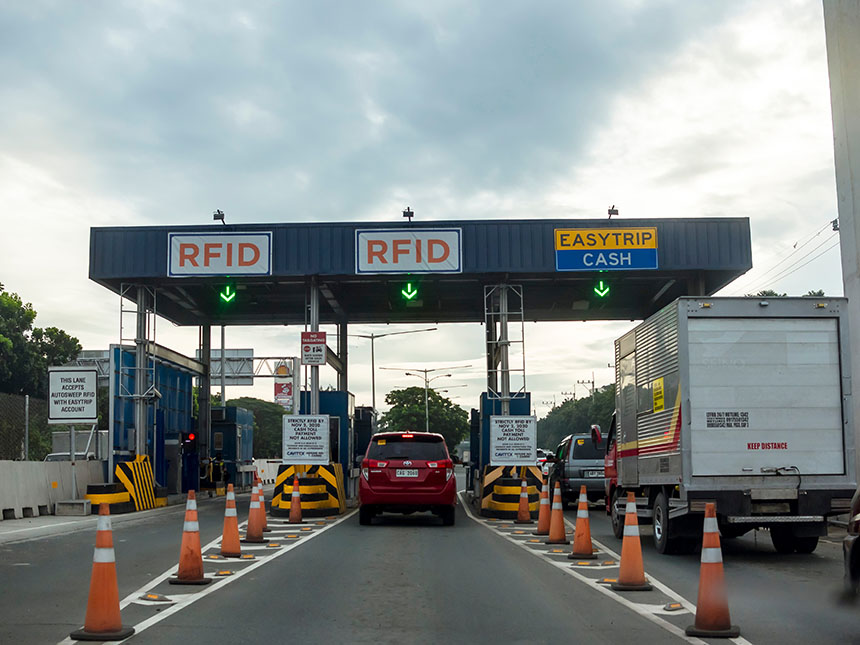
After checking your RFID balance, you may also need to reload your Easytrip and Autosweep accounts through the most convenient options available.
Via GCash:
- Open the GCash app and tap “Bills.”
- Select “Transportation.”
- Choose “EASYTRIP RFID” or “AUTOSWEEP” as the biller.
- Enter your RFID account number and the amount you want to load.
- Review your payment details and tap “Next” to confirm the transaction.
Via Online Banking:
- Log in to your online banking app or website.
- Go to “Pay Bills” or “Bill Payment.”
- Select “Easytrip” or “Autosweep” from the biller list.
- Enter your RFID account number and the amount you want to load.
- Review your payment details and confirm the transaction.
You can also reload your account in person if that works better for you.
Via Convenience Stores and Retail Partners:
- Visit a participating partner or retail store, such as 7-Eleven or SM Servicio.
- Ask the staff about the RFID reload process and provide the required details and amount.
- Confirm the details and pay the reload amount and any service fee.
- Keep your receipt for reference.
Keeping Your RFID Ready
A quick balance check shows how much you have available for toll fees, while a timely reload gives you funds for the rest of your route. These simple steps can help you account for toll costs before using the expressway.
Mobile data can also come in handy throughout your road trip. A prepaid promo that you pay for upfront can provide data for on-the-road needs, such as checking directions or staying in touch with your travel group. Meanwhile, a postpaid plan with a monthly data allocation can support your trip before and during your drive, such as planning your route or enjoying in-car entertainment.
Another way to manage your toll funds is to use your Globe Rewards points through the GlobeOne app to reload your Easytrip or Autosweep account.
With this RFID guide, preparing for your next road trip can feel easier from the first turn to the final stop.