In this article:
- Why You Should Get SSS Maternity Benefits
- Eligibility for SSS Maternity Benefits
- SSS Maternity Benefits Requirements
- How to Apply for SSS Maternity Benefits If You’re Employed
- How Voluntary and Other Members Can Apply for SSS Maternity Benefit
- How to Track Your SSS Maternity Benefit Claim
- SSS Maternity Benefits FAQs
- Stepping into Motherhood Feeling Ready
Welcome to parenthood! Having a baby is a special moment to celebrate, but with the excitement comes the practical matters mothers need to sort out before your little one arrives.
Thankfully, your Social Security Service (SSS) comes with maternity benefits. You can count on this assistance since medical fees, baby essentials, and time away from work can add up quickly.
This guide breaks down the requirements, application steps, and ways to track your claim, whether you’re an employee or a voluntary SSS member.
Why You Should Get SSS Maternity Benefits
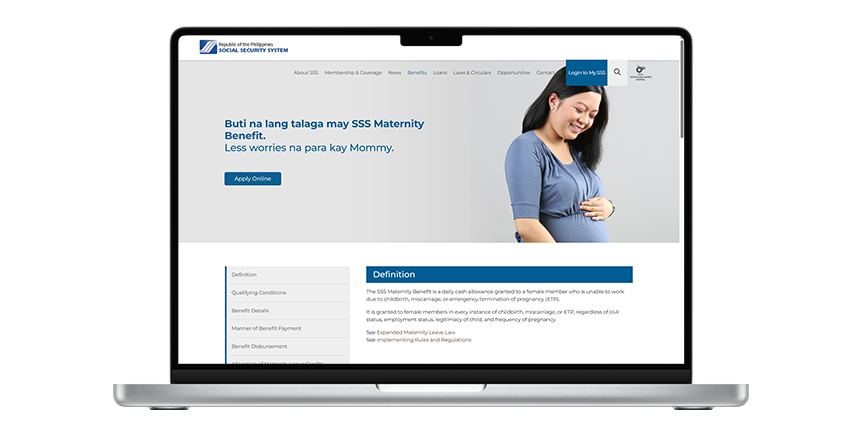
SSS maternity benefits give female members in the Philippines cash assistance during childbirth, miscarriage, or emergency termination of pregnancy (ETP). These can ease worries of mothers by providing:
- Income support while taking time off work, giving more time to recover and focus on your well-being
- Coverage for medical and baby-related expenses like checkups, while safely caring for your newborn
- Financial support for unexpected pregnancy outcomes, such as miscarriage or emergency termination of pregnancy
Eligibility for SSS Maternity Benefits
Female SSS members qualify for SSS maternity benefits under the Expanded Maternity Leave Law for every childbirth, no matter the civil status, child’s legitimacy, or number of pregnancies. SSS pays 100% of your average daily salary credit.
Here’s how many days of paid maternity leave eligible members get.
- 105 days for normal or cesarean section delivery
- 120 days for a single mom, which includes an additional 15 days of maternity leave under RA No. 8972 (Solo Parents’ Welfare Act)
- 60 days for miscarriages or ETP, including stillbirth
To qualify, you must have paid at least three months’ worth of SSS contributions within the 12 months preceding the semester of your childbirth, miscarriage, or ETP.
For example, if you give birth in December 2026, the six-month period is July to December 2026. SSS will check your contributions from July 2025 to June 2026 (12 months), and you need at least three monthly contributions in that window.
Your employment status also affects the maternity notification and benefit application process. Employed members generally coordinate with their employer. Self-employed, voluntary, overseas Filipino workers (OFWs), and non-working mothers handle the required notification and filing with SSS personally.
SSS Maternity Benefits Requirements
Once you know you’re eligible, the next step is to prepare the required documents. These may vary depending on your employment status and circumstances. But generally, you need to gather the following requirements.
- Required maternity notification and proof of pregnancy
- My.SSS account for online transactions
- Certificate of Live Birth or other applicable proof of childbirth like Local Civil Registrar (LCR) for a maternity benefit claim filed within six months of the delivery date, and a Philippine Statistics Authority (PSA)-issued document for a maternity benefit claim filed more than six months after the delivery date
- Solo Parent ID or applicable certification signed by your city’s social worker or mayor for single mothers
- Additional documents for miscarriage, ETP, childbirth outside the Philippines, or other special circumstances
- An approved disbursement account enrolled through the Disbursement Account Enrollment Module (DAEM)
How to Apply for SSS Maternity Benefits If You’re Employed
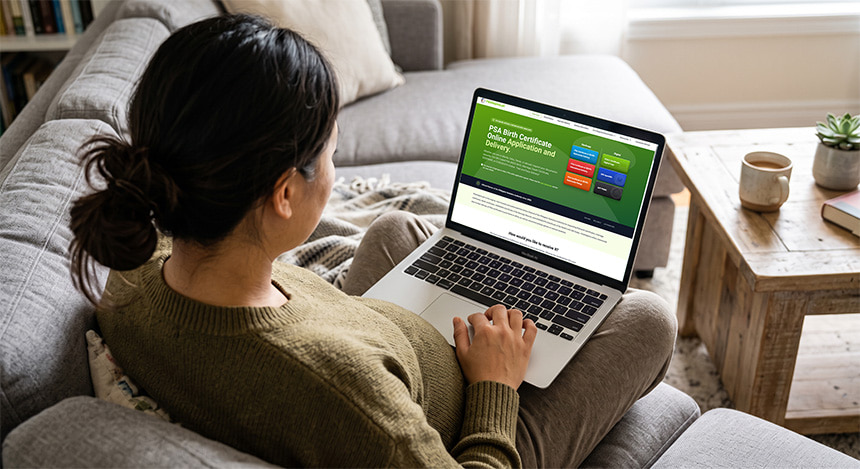
If you’re an employed SSS member, your company’s Human Resources (HR) department will help facilitate your maternity benefit application. Start by informing them about your pregnancy and expected delivery date. From there, you can take the necessary next steps.
- Submit a completed SSS Maternity Notification Form and provide your expected delivery date. You can also indicate whether you want to allocate a portion of your maternity leave credits to your child’s father, regardless of whether he works for the same employer.
- Provide proof of pregnancy. Attach a duly signed pregnancy test result from a physician or municipal health officer, or other diagnostic results like an ultrasound report, blood pregnancy test (Beta HCG), or Early Pregnancy Factor test. Submit these to HR together with the completed form.
- Wait for your employer to notify SSS. Your employer will submit the maternity notification through the employer’s My.SSS account.
Submit proof of childbirth to HR. After giving birth, provide your employer with documents to support your maternity benefit claim. This includes your child’s Certificate of Live Birth with the applicable Official Receipt (OR) or Acknowledgment Receipt (AR).
Note: If you have special circumstances, such as being a solo parent, provide any additional certification required for your claim, such as your valid solo parent ID or certificate of eligibility if your ID isn’t available yet. Your employer will file the applicable Maternity Application with the SSS portal.
- Get your maternity benefit through your employer. Once your maternity leave is processed, your employer must advance the full maternity benefit within 30 days from the filing of your maternity leave application.
How Voluntary and Other Members Can Apply for SSS Maternity Benefits
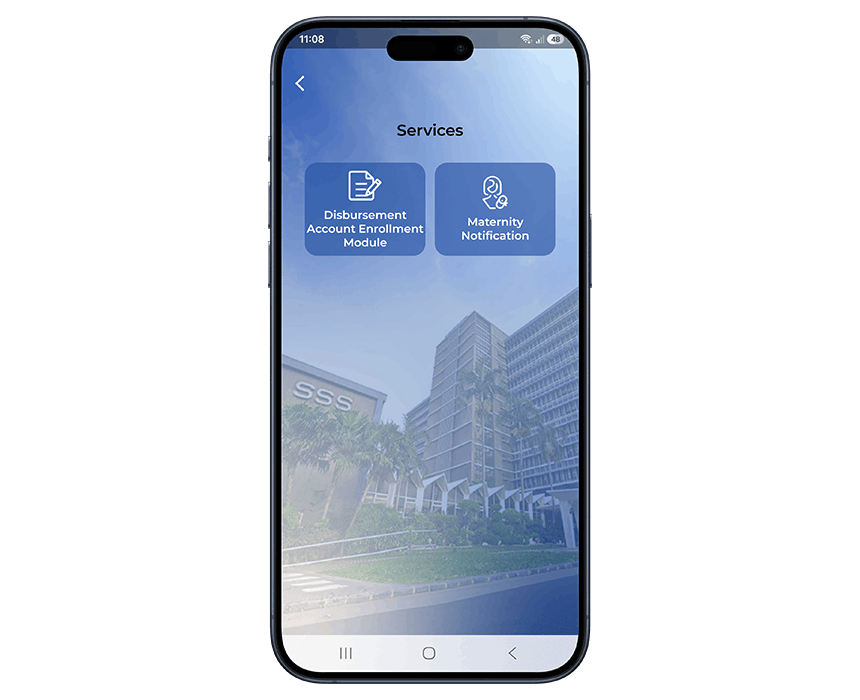
Freelancers, independent contributors, OFWs, and non-working spouse members can notify SSS directly about their pregnancy and file their maternity benefit claim online. You can submit your maternity notification through your My.SSS account on either the website or mobile app.
Steps Before Filing Your SSS Maternity Benefit Claim
Prepare your SSS account, maternity notification, and disbursement details before submitting your claim.
- Register for a My.SSS account. Go to member.sss.gov.ph/members. SSS requires this account to process online applications for benefits and loans. You can also check transaction updates and contributions here.
- Notify SSS of your pregnancy. To notify, follow these steps.
- Log in to your My.SSS account to submit a maternity notification 60 days before the delivery date.
- Under the Benefits tab, select “Maternity Notification,” fill in details like expected delivery date, and allocate maternity leave credits.
- Click “Submit” to complete the notification.
- After submitting, return to the Benefits tab and select “Sickness/Maternity Claim Info” to view your transaction number and expected delivery date under the Maternity Notification tab.
- You can also notify SSS through the SSS mobile app. Just tap the Services icon, then select the “Maternity Notification.” At the bottom, click the “+Apply.”
- Set up your disbursement account. Before crediting your maternity benefit, SSS requires enrollment in the Disbursement Account Enrollment Module (DAEM) using an approved e-wallet or bank. You can enroll your GCash, but make sure your GCash name matches your registered name with SSS.
Once you’ve completed your maternity notification and enrolled your approved disbursement account, you can proceed with filing your SSS Maternity Benefit claim after giving birth.
Steps for Filing Your SSS Maternity Benefit Claim
Once you’ve completed the preparations, you can file your SSS Maternity Benefit claim after giving birth.
- Log in to your My.SSS account. Go to the Benefits tab and select “Apply for Maternity Benefit.”
- Check your personal and disbursement account information. Make sure the details in your application are correct. Your maternity benefit will be credited to your approved disbursement account enrolled through the DAEM.
- Read the filing reminders and instructions. This includes the list of required documents. Click “Proceed” when done.
- Enter the required application details. Provide accurate information based on your circumstances and the supporting documents you’ll submit.
- Check your disbursement account field. Your e-wallet should appear as a choice. Click “Proceed.”
- Review your application summary. The estimated amount of your benefit must be shown before submitting your SSS Maternity Application.
- Upload your supporting documents. Submit the Certificate of Live Birth/Certificate of Death from the LCR or PSA, or other applicable documents based on your circumstances.
- Certify and submit your application. Click the checkbox confirming that your information and documents are accurate. Keep your transaction details for reference and monitor your claim.
How to Track Your SSS Maternity Benefit Claim
If you have GCash enrolled to receive your maternity benefit, SSS should send you an email and in-app notifications about your filing and when it’s credited to your account.
You can also check your claim status through the My.SSS member portal by following these steps.
- Input your registered user ID and password to sign in to the website.
- Click the “GET PIN” button to receive the 6-digit numeric code sent via SMS. Make sure your mobile number is updated with SSS.
- At the top of the dashboard, select “Benefits,” then click “Maternity Benefit.”
- On the right side of the screen, you’ll see the inquiry claim status timeline for your Maternity Notification, Maternity Application, and Adjustment of Maternity Application, if submitted and approved.
- For the full details of your actual benefit amount and disbursement account, tap the reference number of your Maternity Application. This will open the Maternity Application Information, Medical Evaluation, and Payee Information.
Alternatively, you can do this through the SSS mobile app, although we recommend using the My.SSS Portal for a more comprehensive view of your claim details.
- Open the SSS mobile app, then enter your user ID and password.
- In the upper-right corner of the mobile interface, tap the bell icon and check Transactions for updates on your SSS maternity benefit.
SSS Maternity Benefits FAQs
After checking your claim status, you may still have questions about your SSS maternity benefits. Find clear and simple answers to some of the most common ones.
How can I avail of the ₱70,000 SSS maternity benefit?
You may receive up to ₱70,000 for a 105-day live childbirth benefit if your computation uses the maximum ₱20,000 monthly salary credit considered for the regular SSS benefit program. Your actual maternity benefit depends on your qualifying contributions and benefit computation.
How do you apply for SSS maternity benefits if you’re unemployed?
You can apply through your My.SSS account and submit the required supporting documents. These may include your Maternity Notification, proof of pregnancy, and Certificate of Live Birth or other applicable proof of childbirth.
Being unemployed doesn’t automatically disqualify you from receiving SSS maternity benefits. If your contingency occurred while you were employed but you’re currently not working, temporarily laid off, or separated from employment, SSS may directly pay the benefit to you. But qualification is subject to eligibility and documentary requirements.
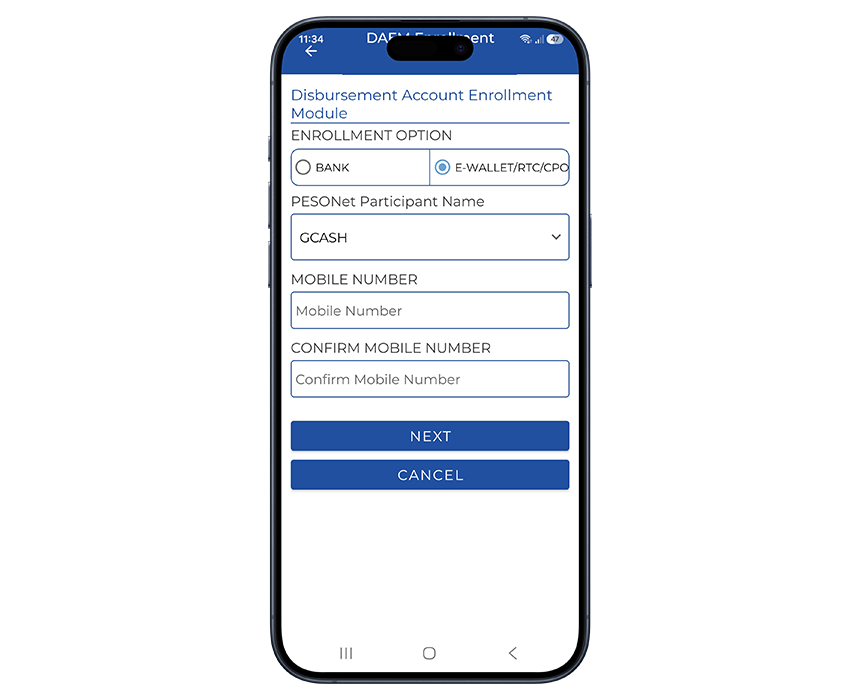
How do I enroll my GCash account for SSS benefit disbursement?
To use GCash for SSS fund transfers, complete the following enrollment steps.
- Log in to your My.SSS account and enroll your GCash account through the DAEM.
- Select E-Wallet and GCash as the PESONet participant.
- Enter your verified GCash mobile number.
- Upload the required documents, including proof of account, a government-issued ID, and a selfie.
- Review and submit your enrollment. Keep the transaction number for your records.
- Check your enrollment status under the View Disbursement Account tab.
- Wait for approval before using your GCash account to disburse benefits.
Can I receive more than one maternity benefit for twins or triplets?
No. SSS pays only one maternity benefit for each childbirth or delivery, regardless of the number of offspring, such as twins, triplets, or quadruplets.
What happens if two SSS maternity benefit claims overlap?
If the benefit periods for two maternity claims overlap, SSS grants the benefits consecutively. The portion of the current claim that covers the overlapping period is deducted to prevent duplicate payment for the same days.
How long does SSS take to process a maternity benefit claim?
Processing time may vary depending on the transaction type and whether your application and supporting documents are complete. Check your My.SSS account and SSS notifications for updates about your claim.
Can I use the eGovPH app for SSS Maternity Benefits?
Partly. The eGovPH app provides access to selected SSS services, including a linkout to the SSS Maternity Benefit Application. You can also view your digital SSS card/ID through the app.
Stepping into Motherhood Feeling Ready
Becoming a parent comes with new responsibilities and expenses, so preparing early can give you one less thing to worry about. Knowing how to apply for SSS maternity benefits online, monitoring your contributions, and submitting the requirements on time can help make the process smoother.
Since much of the application is done online, a reliable GFiber Postpaid can help you access the SSS website or mobile app with ease. During your downtime, GFiber Prepaid also gives you the flexibility to stay connected with zero lock-in, whether you need to quickly look up pregnancy tips or listen to calming playlists.
Your mobile connection can be just as useful when you’re away from home. A mobile postpaid plan gives you consistent data for frequent checkups, coordinating appointments, or staying in touch with loved ones as your due date approaches. For occasional errands, a prepaid promo lets you top up as needed to check your SSS claim status or message family while picking up essentials.
As an expecting mom, you deserve peace of mind, so you can focus on a safe delivery, a smooth recovery, and enjoying precious time with your newborn.