In this article:
As online scams reach more people, learning to use digital tools safely can help you feel more confident in everyday online activities. This is why digital literacy for senior citizens goes beyond learning how to use an app.
Digital literacy also means knowing how to spot scams, checking information, and enjoying simple moments like having a video call with your apo abroad or sharing fun stickers and GIFs on messaging apps like Viber.
With patience and guidance, you can use digital tools safely and with more freedom for daily routines like ordering groceries online, while staying connected to the people and services you rely on.
1. Handling Emails

Staying on top of important online updates is easier if you know how to manage your email. This can be useful when waiting for your Land Transportation Office (LTO) car registration schedule or updating your Bureau of Internal Revenue (BIR) information.
If you’re new to email, you can begin by creating a Google account to access Gmail, YouTube, and other Google services. Take some time to get familiar with writing and replying to messages.
As you get more comfortable exploring emails, learn simple ways to protect your personal information, such as never sharing One-Time Passwords (OTPs) with anyone and choosing strong usernames and passwords. Keeping a secure record of your login details can also make them easier to find when needed.
2. Sending Messages and Making Calls
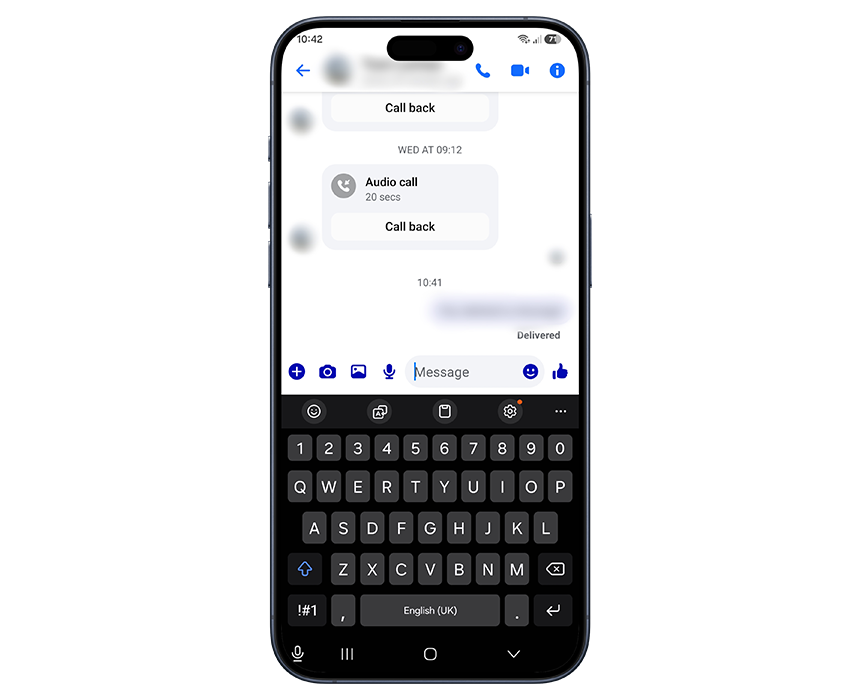
A quick chat can make a big difference when family members live far away or have busy schedules. Apps like Viber and Messenger make it easy to send messages, make calls, or leave voice messages whenever you want to catch up with family.
You can also explore other engaging features in messaging apps. In Messenger, you can simply tap the video camera icon at the upper right to make a video call. To ease typing long messages, you can press the microphone icon beside the text area to send voice messages to your loved ones.
For safer messaging, you can always check the sender’s profile before replying. Always remember never to open links sent by unknown senders or even by your family unless you’ve verified it first with them.
3. Using Social Media
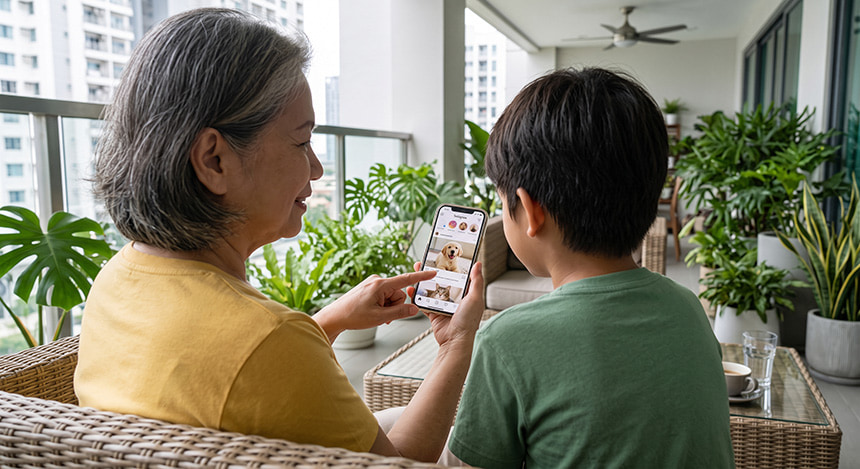
Through social media, anyone can easily catch up with family updates, local community news, or even the latest episode of their favorite TV show.
You can start by downloading Facebook or Instagram. Fill in the required details, then confirm the account through your email or mobile number. Next, create a strong password and explore the account features, such as tapping ”Friends” on Facebook or ”Follow” on Instagram to connect with others, and using ”Create post” or ”Photo/Video” to share personal updates.
Since social media can also expose you to online threats, remember to check pages and profiles before following or accepting friend and follow requests. Take a moment to carefully review posts before interacting with them. And watch out for fake accounts, suspicious messages, and posts designed to spread false information; always check the source before sharing anything.
4. Managing Bank Accounts
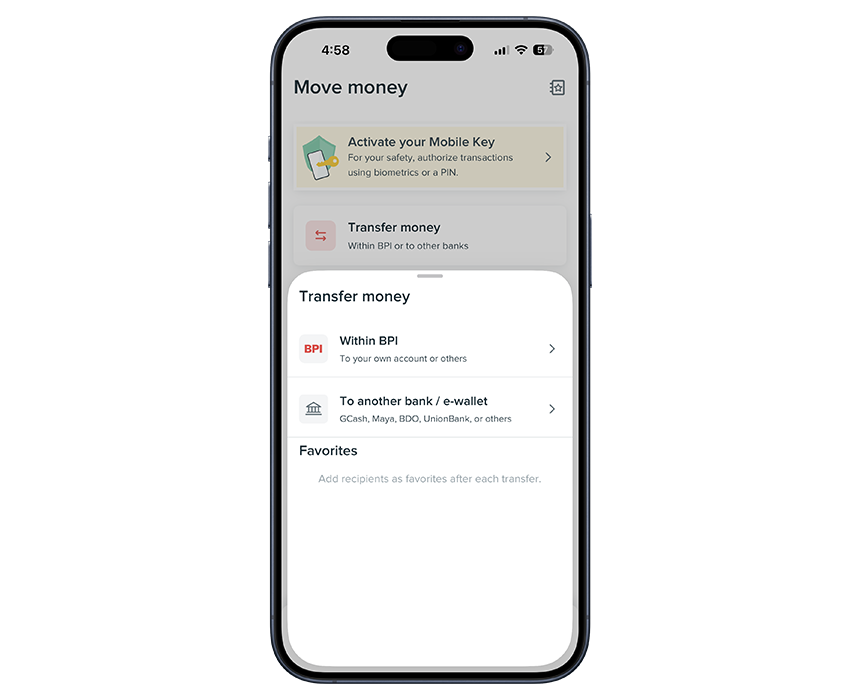
Paying bills and keeping track of money can be much simpler when you can access your bank account from your phone. You can check your balance before making a purchase, settle an electricity bill, or receive your SSS pension from the same app.
Every bank has its own digital app, so learning the features first can make banking easier. For example, if you’re using Bank of the Philippine Islands (BPI), you can simply download and open the app, then tap ”Create new account” if you haven’t registered yet. Explore features like checking your balance, transferring money, and paying bills.
Also keep your bank app secure by locking it with a Personal Identification Number (PIN), fingerprint, or Face ID, so only you can open it. Then, turn on transaction alerts to track account activity, and review the recipient’s name, account number, and the amount before confirming a transfer.
Pro Tip: Once you’re comfortable with mobile banking, you can also explore digital banks, activate payment apps, or learn about investing apps to easily earn interest, make cashless payments, or grow your savings.
5. Shopping Online

Online shopping can make it easier to find everyday essentials, useful tech gadgets, or gifts for your grandkids and have them delivered straight to your doorstep.
You can explore different shopping apps to find what works best for you. Shopee, for instance, lets you create an account by tapping ”Me,” selecting ”Sign Up,” and following the prompts to verify your phone number and set a password.
As you browse any shopping app, remember to check the seller’s ratings and reviews, look for verified store badges, and keep your conversations and payments within the platform to help spot and avoid seller scams.
6. Accessing Health Services
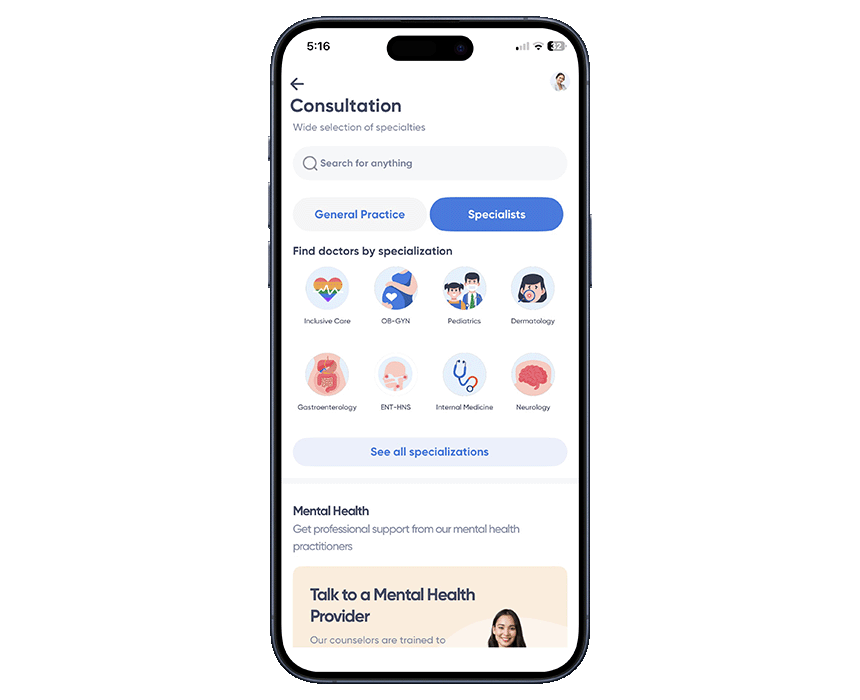
Health is wealth, and staying informed can help make everyday care easier. Telehealth services can be useful for routine check-ups and follow-up appointments, giving you access to medical advice while saving time and travel.
For online consultations, KonsultaMD lets you connect with doctors across various specialties. You can also look up symptoms online to discover more about what you may be experiencing, then talk to a doctor to understand them better and find the right care. When exploring wellness medicines, check if the product is registered with the Food and Drug Administration (FDA) and if its health claims are approved before giving it a try.
7. Paying with an E-Wallet

Paying for groceries, meals, or other purchases can be easier with an e-wallet like GCash. You can simply scan a QR code at a store for payments, settle a Grab order through your linked GCash account, buy load, or send money straight from your phone.
Using an e-wallet also calls for a little extra care when handling money. Before tapping ”Send,” check that the recipient’s name and account number are correct, then review the amount one more time. Taking your time reviewing is always the best move when it comes to online cash transactions!
If you accidentally send your money to the wrong account, contact the e-wallet provider through its official Help Center as soon as possible. For links sent by text or through the app, open the e-wallet directly instead of tapping the link, even when the message looks like it came from the provider, since scammers can make fake messages look real.
8. Exploring AI Tools
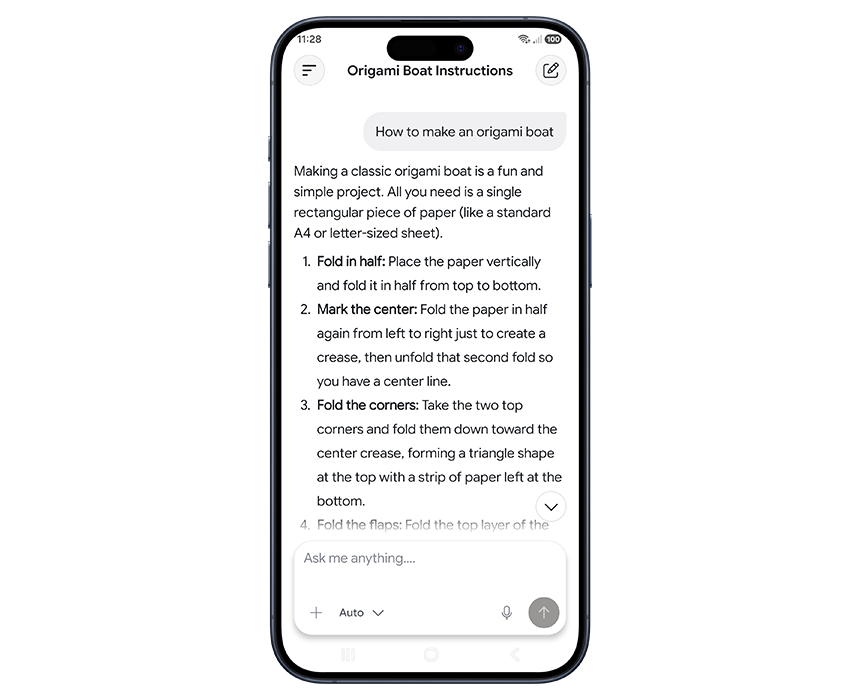
Artificial Intelligence (AI) is a technology that can help answer questions, explain unfamiliar words quickly, and explore topics that interest you. It can make everyday tasks easier, help you learn new things, and give you ideas to try. As you learn more, comparing AI-generated photos, videos, and posts with trusted sources will help you avoid believing everything you see online.
There are a lot of AI tools you can choose from and AI Fiesta makes it easier by bringing them together in one place. To try it, open the GlobeOne app, tap “Life Essentials,” tap “AI Fiesta,” choose a voucher, and download the AI Fiesta app via Google Play or the App Store. Once you’re in, enter a simple prompt like you’re just talking to other people or use “Prompt Enhancer” to make your instructions clearer.
Embracing Digital Knowledge with Ease
Age is just a number when it comes to learning new skills. You can still improve your digital skills to gain greater independence in everyday life while staying safe and confident online.
To continue learning and putting these skills into practice, a reliable internet connection at home can be a helpful partner. GFiber Prepaid has a zero lock-in feature, making it a flexible choice for a follow-up teleconsultation. And for those who never miss an Alex Eala match, GFiber Postpaid keeps the connection steady through every set.
If it’s time to go outside, prepaid promos can keep you connected during a one-day event like an alumni homecoming. Or, subscribe to a postpaid plan, so you can keep the chikahan going with your kumare or kumpare. You can also stay one step ahead of potential scams with 12 months of free Globe Scam Protect through Whoscall, available with Postpaid and Platinum.
For hands-on guidance, look out for Globe’s Senior Digizen workshops in your area. These learning sessions guide seniors on how to use phone features, apps, and online spaces safely and wisely.
With every new skill you learn, technology can make it easier to chat with family, manage payments, access government services, and use helpful apps on your phone.