In this article:
Staying connected today means balancing work, personal life, and everything in between. As our digital needs grow, managing multiple lines on one device has become more practical than ever.
Whether you’re building a business or exploring new possibilities, finding the right balance makes all the difference. With a multi-SIM or multi eSIM set-up, you can stay on top of what matters without feeling pulled in every direction.
What’s a Multi eSIM?

Multi eSIM refers to a device feature or solution that allows a phone to store and manage multiple digital SIM profiles (eSIMs) at once. Each profile can represent a different mobile number or data plan, making it easy to switch between work, travel, or personal use directly through settings or an app with no physical SIM swapping needed.
Many modern phones from Apple, Samsung, and Google support a combination of one physical SIM and one or more eSIM profiles. This means you can keep your primary Globe physical SIM for your main number and add a local prepaid eSIM for data-heavy tasks or work.
As mobile connectivity becomes more flexible and digital-first, eSIMs are becoming the standard rather than the exception. To support this shift, Globe offers both physical SIMs and eSIMs, giving you the freedom to choose the set-up that best fits how you use your phone.
Why Multiple SIMs Matter Today
If you’re still relying on just one SIM, you may be missing out. As work, life, and digital habits overlap more than ever, having flexibility in managing your lines is becoming a daily essential. Having two or more lines on one phone solves connectivity challenges without the bulk of carrying extra devices.
It also adds an extra layer of digital security. From app sign-ups and delivery services to Two-Factor Authentication (2FA) codes, many online tasks require a phone number. Using an extra line lets you keep your primary number more private, reducing exposure and helping protect your personal data.
How Multiple SIMs Work
With a multi-SIM set-up, instead of manually swapping physical cards, you can switch between multiple lines through your phone’s built-in settings. You can keep local and international lines active at once, so it’s easier to stay online while traveling.
The latest phones let you store multiple digital SIM profiles on your device and switch between them with no additional configuration required. So, whenever you need a change of pace, the transition between roles is entirely seamless.
Benefits of Using Multiple SIMs

Using multiple SIMs goes beyond convenience. With more than one line on a single device, you stay organized and in control of when and how you’re reachable. Here’s how different lifestyles benefit from this set-up.
For Entrepreneurs: Separate work and personal life.
Every business owner knows that success starts with organization. Beyond managing tasks and deadlines, this also means setting boundaries between work and personal life, especially when everything lives on one phone.
With multi-SIM, you can dedicate a specific line solely for business communications, keeping your private number exclusive to your inner circle. This makes it easier to stay responsive at work without feeling like you’re always on call.
For example, your work SIM can stay active during business hours, while your personal line stays quiet when you need to unplug. One phone, two lines, and a clearer separation between when you’re working and when you’re off.
For Employees: Manage clients across platforms.
Balance is everything. By dedicating one line to your personal contacts and one for employer communications, you stay professional and responsive without mixing client messages with personal chats.
This set-up also empowers you to stay fully present during your off-hours by pausing work alerts when you clock out. If you’re improving your remote work skills, this separation is a game-changer.
For Travelers: Keep local and roaming lines active.
Exploring new destinations is even better when you’re reachable wherever you go. With a multi-SIM set-up, you can use a local or traveler SIM to connect to local networks while traveling.
This allows you to use data and make calls at local rates while keeping your home SIM active for important bank alerts. You can also explore available roaming options that offer flexible data plans, making it one of the tech essentials for traveling the world.
For Students: Secure uninterrupted internet access.
Student life comes with constant notifications, group chats, and academic updates. Using multiple SIMs helps you set clearer boundaries by dedicating one number to school-related needs, such as learning portals and study groups, while keeping another line for friends and family.
This set-up supports focused study, or “deep work,” by reducing distractions when you need to concentrate. It also makes it easier to manage your prepaid data for online classes, research, and collaboration, helping you stay productive without going over budget.
For Families: Share devices without sharing numbers.
Families often share tools and devices, from smartphones used at home to hand-me-down phones for kids or shared family devices. With multiple SIMs, one phone can support different users or purposes while keeping each line separate for privacy and control.
Parents can assign one SIM for a child’s school contacts and another for family use. This helps monitor usage on specific lines while keeping personal numbers private.
Getting Started with Your eSIM
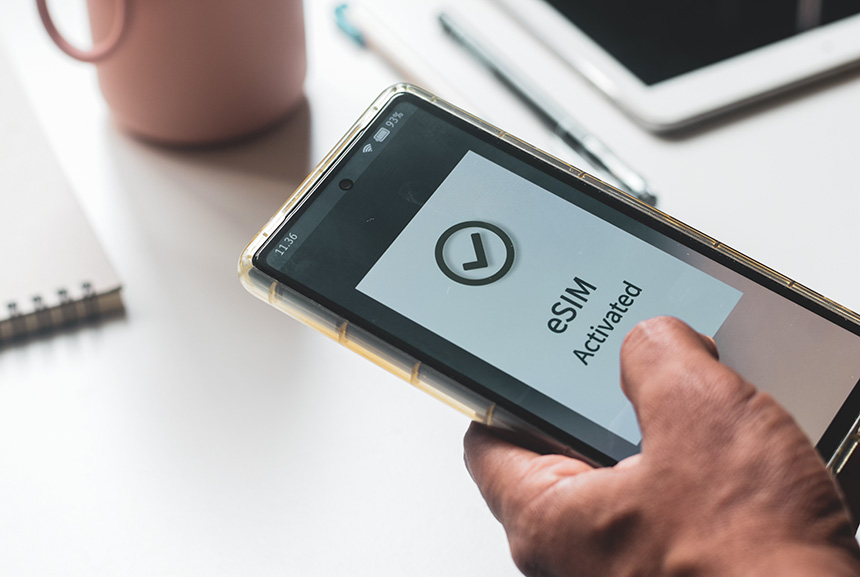
Activating an eSIM or dual eSIMs takes only a few steps and can be done directly on your device.
iPhone
- Go to “Settings” > “Cellular.”
- Tap “Add eSIM.”
- Choose “Use QR Code” to scan the code provided by your carrier, or select “Transfer From Nearby iPhone” to move an existing number.
Android Phone (Samsung)
- Go to “Settings” > “Connections.”
- Tap “SIM Manager.”
- Select “Add eSIM or Add mobile plan.”
- Choose “Scan QR code” from the network carrier, and your eSIM will be automatically downloaded.
Android Phone (Google Pixel)
- Go to “Settings” > “Network & Internet.”
- Tap “SIMs.”
- Select “Add SIM” > “Set up an eSIM.”
- Follow the on-screen instructions to download and activate your eSIM profile.
Once added, remember to comply with the SIM card registration law and register your new SIM card to keep your lines active.
Taking Control with Seamless Connectivity
Multiple SIMs make it easier to keep your lines active and accessible through reliable data options that suit your lifestyle. You can curate a set-up that works best for you, whether that means pay-as-you-go promos for flexibility or a postpaid plan for consistent data and calls throughout the month, even when traveling abroad.





Your mobile experience is yours to design. By blending the reliability of a physical SIM with the convenience of an eSIM, you can manage work, personal use, and travel on a single device.
Switch to eSIM
Skip physical SIM swapping and stay connected more conveniently.


