In this article:
From starting a new job to applying for a visa or securing certain permits, an NBI clearance may be one of the requirements you’ll need to prepare. Knowing how the process works in advance can help you get it done without the last-minute rush.
Thankfully, your National Bureau of Investigation (NBI) clearance application can now be started online, which means you won’t have to wait in line for hours.
This guide covers everything you need to know about online application and renewal for an NBI clearance: application requirements, booking an appointment before visiting a branch, the renewal process, and more.
What’s an NBI Clearance and When Do You Need It?

An NBI Clearance is an official nationwide document or certificate issued by the NBI that verifies a person’s criminal record or pending cases in the Philippines. It’s commonly required for legal, professional, and administrative purposes, as well as background checks to establish trust during crucial transactions, such as:
- A nationwide database search of criminal records, extending beyond the scope of a local police clearance
- Formal confirmation of your standing as a law-abiding citizen with no active warrants or criminal convictions
- Official verification used by institutions to assess a person’s background and eligibility for certain legal, professional, or administrative transactions
Typically, you need to present and submit your NBI clearance in these situations.
- Pre-employment background checks in both local and international private companies and government agencies
- Requirements for working abroad as an overseas Filipino worker (OFW), including recruitment, travel, and legal contracts
- Foreign residency permits, citizenship applications, and international travel visas
- Philippine passport applications when you have no primary identification (ID)
- Enrollment or admission at overseas universities
- Professional license registration or renewal for board exams and licensing through the Professional Regulation Commission (PRC)
- Business permits, operation licenses, and certain financial transactions
NBI Clearance Requirements
Getting or renewing your NBI Clearance means preparing your ID documents and personal information, then keeping track of a few key details along the way.
Two Valid Government-Issued IDs
Prepare and bring them to your scheduled NBI appointment. But check whether your IDs are still valid and up to date. Accepted IDs include:
- Philippine passport
- Driver’s license
- National ID
- TIN ID
- PRC License
- PhilHealth ID
- Pag-IBIG ID
- Postal ID
- Voter’s ID
- PWD ID
- Senior Citizen ID
- Solo Parent ID
- OFW ID
- PSA-issued birth certificate, and more
Active Email Address and Mobile Number
You’ll need an active email address and a mobile number to create your NBI Clearance online account. Both are used for registration and verification, so make sure you can access them.
Reference Number
After completing your online NBI clearance application, you’ll receive a reference number. Keep it on hand, since you’ll need to present it at your chosen NBI branch.
eGovPH Account (Optional for Renewal)
If you’re using the eGovPH app to access NBI eClearance, set up and confirm your eGovPH account first. Download it from the Apple App Store or Google Play, then follow the account setup instructions.
NBI clearance is now also available through eGovPH. Verified users can process renewals and view electronic copies right on their smartphones. Note that this is separate from the standard NBI Clearance eServices application and appointment process.
Barangay Certificate (First-Time Job Seekers)
For fresh graduates or those applying for their first job, a barangay certificate may be required to qualify for the fee waiver under Republic Act No. 11261.
How to Schedule Your Appointment
With your documents ready, you can now start your NBI clearance application and book an appointment online. First-time job seekers and regular applicants follow a similar process, but each uses a different portal, both accessible through NBI Clearance eServices.
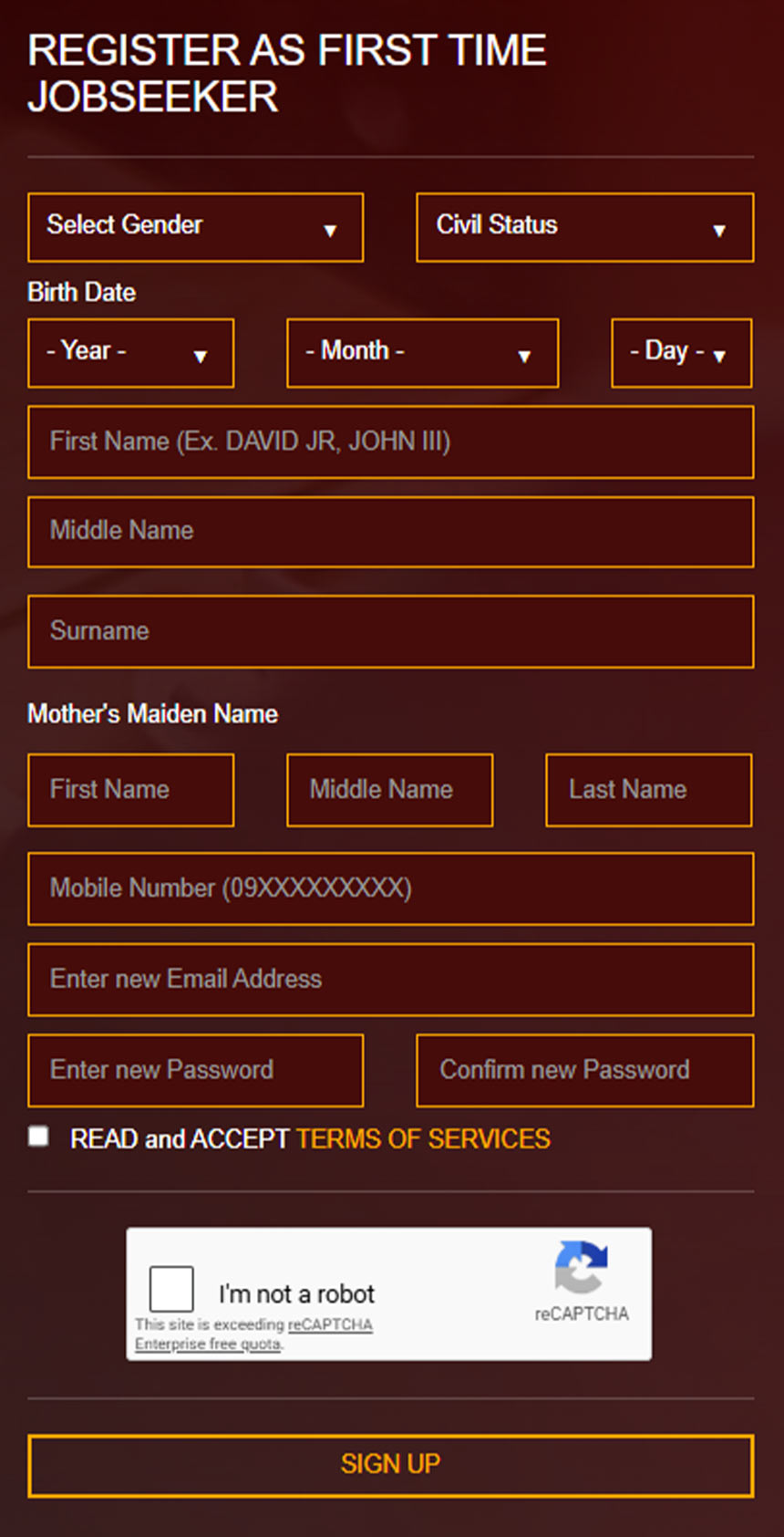
To make an NBI appointment, register for an account through these steps.
- Choose the appropriate NBI online portal.
- For first-time job seekers, go to https://firsttimejobseekers.nbi.gov.ph. For regular applicants, visit https://clearance.nbi.gov.ph.
- Create an account if you don’t have one. Enter the required registration fields and review and agree to the “Terms of Service.”
- Complete the CAPTCHA, click “Sign Up,” and confirm your account registration by entering the one-time password sent to your email or mobile.
- Log in to your account and complete the application form.
- Select “Save Information” when done.
- Review your entered details and click “Submit” to save.
- Once you have your profile, you can schedule your NBI appointment online. Click “Apply for Clearance,” choose the type of valid government-issued IDs you’ll present during the appointment, then click “I Agree.”
- Choose your preferred NBI branch and an available appointment date and time.
- Complete the applicable payment requirements. Regular applicants must pay the NBI Clearance fee (₱130 plus a service fee) using their chosen payment method, whether via over-the-counter options or online channels like GCash. Meanwhile, first-time jobseekers who meet the requirements under the First Time Jobseekers Assistance Act and present the required Barangay Certification can obtain their NBI Clearance free of charge.
- Review your appointment details and click “Save to Get Reference Number.” Keep a screenshot or copy of your reference number and QR code, along with reminders about the documents to bring, as you’ll need them when you go to an NBI branch.
- For regular applicants, go to the Transactions page to confirm that your application is marked “Paid.” Click “Details” to review your application information.
Note: If you’re a first-time job seeker, don’t forget to bring your Barangay Certification to your appointment and proceed to the designated First-Time Job Seeker lane. Regular applicants should include their payment receipt and proceed to the appropriate clearance processing area.
Your NBI clearance should be ready after your photo and biometrics are taken unless your name gets a “HIT.” If there’s no HIT, your clearance can continue printing. If your application has it, the NBI will ask you to return on a specified date after further verification.
How to Renew Your NBI Clearance
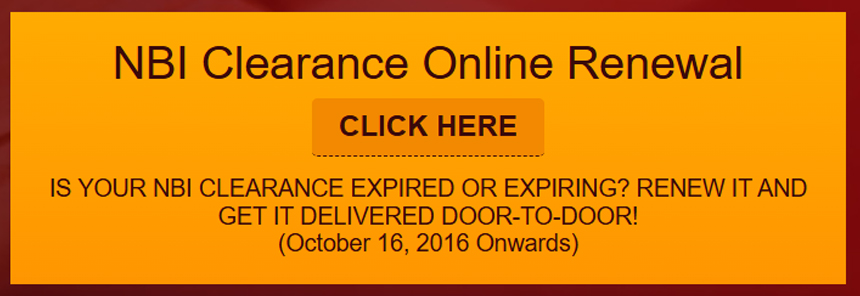
Image Credit: NBI Clearance eServices
If your NBI Clearance has expired or is about to expire, you can renew it to stay current. It’s valid for one year from the date of issuance, and your renewal options may depend on when you last got your clearance.
Renewal Through the eGovPH App
If you have the eGovPH app installed and an account set up, you can also use it to renew your NBI Clearance online.
- Open the eGovPH app and log in to your account.
- Tap “NGAs,” select “NBI,” and choose “NBI Clearance.”
- Review your existing digital clearance and check its status.
- Enter or update the required personal information and other requested details.
- Review the information on the summary page, tick the certification box confirming that the details are correct, and tap “Renew Clearance.”
- Select whether door-to-door delivery or branch pick-up. For delivery, provide your complete address.
- Choose your preferred payment method and complete the transaction.
Quick Renewal with No Branch Visit Required
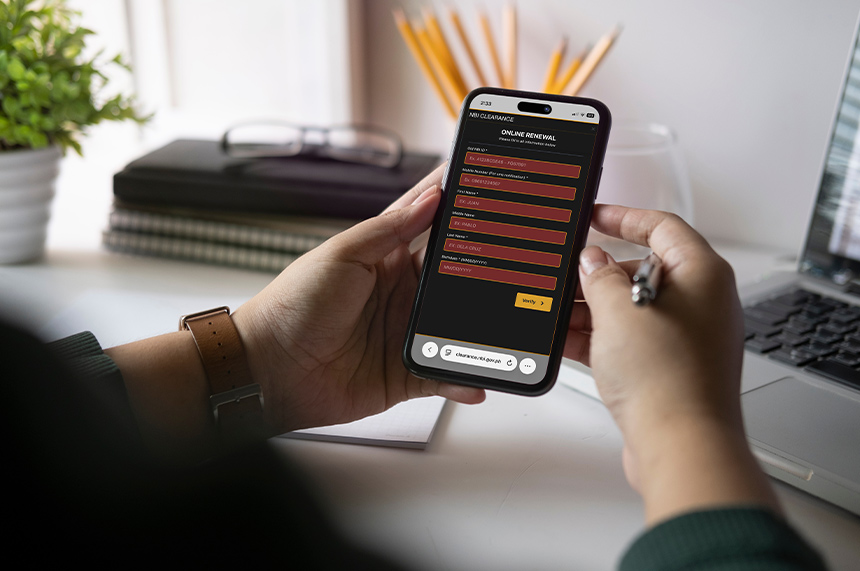
Quick Renewal is available if you obtained your previous NBI Clearance on or after October 16, 2016, and your personal details remain unchanged. You can skip the branch visit entirely and have your renewed clearance delivered straight to your doorstep.
- Go to https://clearance.nbi.gov.ph. Look for a yellow-orange box labeled “NBI Clearance Online Renewal.” Then, tap the “Click here” button.
- Enter your old NBI ID number, complete name, date of birth, and mobile number.
- Choose how to verify your details: mother’s information, mobile number, or registered email address.
- Review your existing information in the database, then tick the box to confirm and certify. Keep in mind that you won’t be able to make certain changes here. If you need to replace something, you’ll need to follow a different process.
- Select the door-to-door delivery option and provide the required delivery details.
- Pay the applicable fee (₱160 for renewal plus delivery charge) using your preferred payment method.
- Check your email or phone for an acknowledgment from the NBI containing delivery updates. Keep your receipt or reference number for tracking or follow-up.
Note: If your personal details have changed or your previous clearance is older than the Quick Renewal cutoff, the system won’t be able to match your old clearance record. This means you’re not eligible for Quick Renewal and you need to file a new application. In this case, you have to personally appear at the branch to have your biometrics captured.
NBI Clearance FAQs
Have questions about appointments, HIT status, or the application process? Here are answers to common NBI Clearance questions.
What happens if I miss my NBI clearance appointment?
If you miss your NBI Clearance appointment, you can still process your clearance at your selected branch within the 15-day grace period, given that you’ve already paid.
NBI Clearance fees are generally non-refundable, so check your transaction details for the applicable validity period. If you haven’t paid yet, you’ll need to book a new appointment and make another payment.
What are the payment methods for the NBI Clearance?
You can pay your NBI Clearance fee through available payment channels, including GCash, 7-Eleven stores, Bayad Center, and online banking. Some transactions may also allow over-the-counter or cash payment, depending on the application process and NBI branch.
Does NBI still accept walk-ins to get clearance?
Yes, in some cases. NBI Clearance applications generally begin through the online registration system, where applicants select a branch and an appointment date. But the NBI Citizen’s Charter also provides procedures for certain walk-in transactions. Since procedures may vary by branch, check the latest instructions from your selected NBI branch before visiting.
How long do I have to wait for my NBI Clearance?
You should generally receive your NBI Clearance on the day of your appointment. But if your name receives a “HIT”, the NBI may require additional verification, and you have to return on another date.
What should I do if I get a “HIT” on my name?
A HIT means the NBI database has a possible record match based on your name or other identifying information. It doesn’t automatically mean the record belongs to you. The NBI will ask you to return on a scheduled date for further clarification before your clearance is released.

Making Your NBI Application Experience Hassle-Free
One document can stand between you and your next step, and in this case, it’s your NBI Clearance. You may need to submit it to an employer, foreign embassy, or government agency for a background check before you can move forward.
That’s why it’s a big help to understand the NBI clearance application and renewal steps. With the agency’s improved online services, you can now save a slot, prepare your requirements, pay service fees via GCash, and conveniently show up in person at your chosen branch and date.
Since part of the process is done digitally, make sure you have reliable internet access. Reliable postpaid home WiFi makes it easier to check availability and set an appointment through the NBI Clearance Portal without worrying about a spotty connection. For flexible home internet, prepaid fiber comes with zero lock-in, giving you more freedom to stay connected on your own terms.
Need to schedule your NBI clearance and renewal while you’re out? A mobile postpaid plan offers consistent data for regular use on the go, while mobile prepaid works well for occasional connectivity.
When you’re building your future, every legal credential matters. Having your background clearance certificate ready can help keep your path clear when the right opportunity calls.